

Audio-first tools with offline capability and high-quality narration deliver the largest, most equitable gains for underserved students. Start with human-narrated audiobooks paired with an offline-capable audio tutor or preloaded audio practice, and you have a pilot that works even where Wi-Fi is unreliable. Coreforgeaudio is one platform built specifically around this combination, with dyslexia-friendly features, multilingual support, and human narrators at its core.
"Listening-first instruction reduces cognitive friction for English learners and students in high-stress contexts by introducing vocabulary and classroom language via audio before written decoding is required." — SOK Foundation and UNICEF implementation, documented by ElevenLabs
Research consistently backs this approach. Audio-assisted reading increases access and engagement for students with reading disabilities, improving both comprehension and classroom participation. For educators working with limited budgets and spotty internet, the practical priority is clear: offline capability first, narration quality second, multilingual support third.
Table of Contents
- What counts as an audio literacy tool for your classroom?
- What does the research actually show about audio supports?
- How do you choose an audio literacy tool for an under-resourced classroom?
- Classroom-ready implementation: steps, lesson ideas, and metrics
- What are the best low-cost and offline options for tight budgets?
- Why listening-first pedagogy and offline AI tutors are changing the field
- Coreforgeaudio supports underserved classrooms with human-narrated audio
- Key Takeaways
- The gap between what audio tools promise and what classrooms actually need
- Useful sources and further reading
- Coreforgeaudio gives underserved classrooms a practical place to start
What counts as an audio literacy tool for your classroom?
The term "audio literacy tool" covers more ground than most educators realize. Here is a quick map of the main types, with the features that matter most in under-resourced settings.
- Text-to-speech (TTS): Software or device features that convert written text to synthesized speech. Built-in TTS on iPads, macOS, and Android devices is free and available immediately, making it a practical no-cost first step.
- Human-narrated audiobooks: Professionally recorded books with natural prosody and emotional nuance. Higher cost than TTS, but measurably better for comprehension and engagement, especially for younger or struggling readers.
- Audio-assisted reading (synchronized audio + text): Audio plays while the matching text is highlighted on screen. This dual-channel approach supports decoding while reducing working-memory load.
- Offline AI audio tutors: Embedded or locally stored audio instruction delivered without internet. Prototypes using microcontrollers and local storage are already being deployed to give equitable listening practice where high-speed internet is unreliable.
- Teacher-recorded read-aloud audio: Low-tech, high-trust. A teacher's own voice on a preloaded device or shared folder can be surprisingly effective, especially for younger students.
- Preloaded MP3 players and SD-card devices: Inexpensive hardware loaded with audio content. No app, no login, no connectivity required.
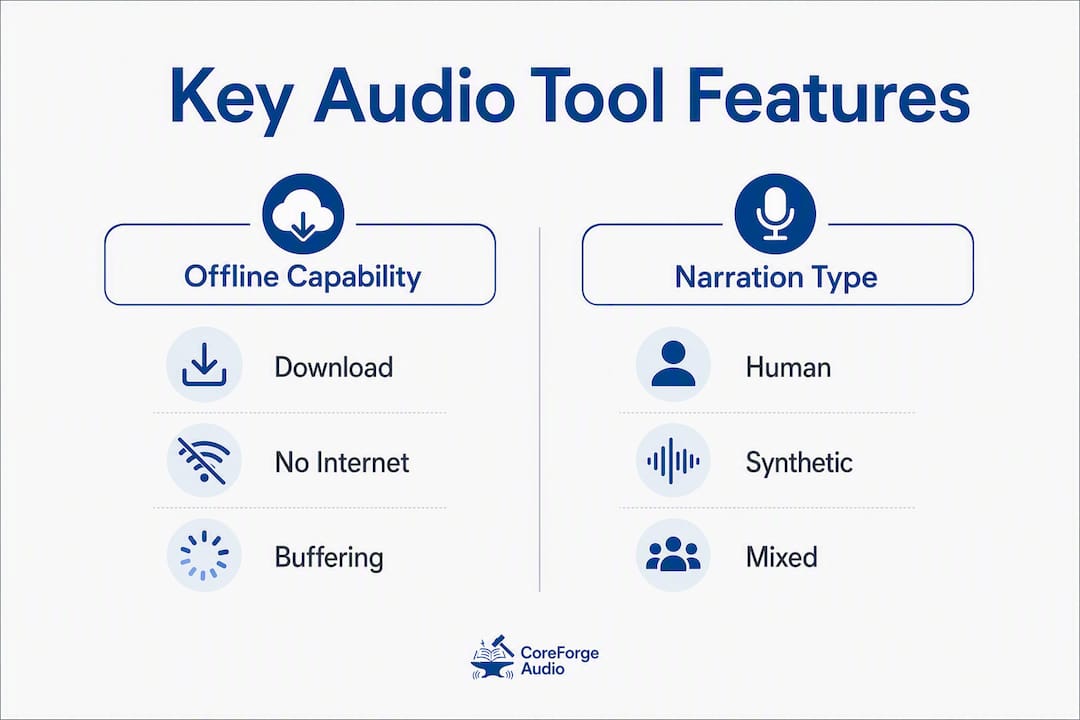
The features that matter most in under-resourced classrooms: offline capability, multilingual support, adjustable playback speed, high-quality narration, and built-in progress tracking. Any tool missing offline capability is a liability in schools with unreliable internet.
Pro Tip: When budget forces a choice between human narration and synthetic TTS, prioritize human narration for core instructional texts, especially for students with dyslexia or ELLs. Natural prosody and emotional tone reduce cognitive load in ways that robotic TTS simply cannot replicate. Use built-in device TTS for supplementary or independent reading where engagement stakes are lower.
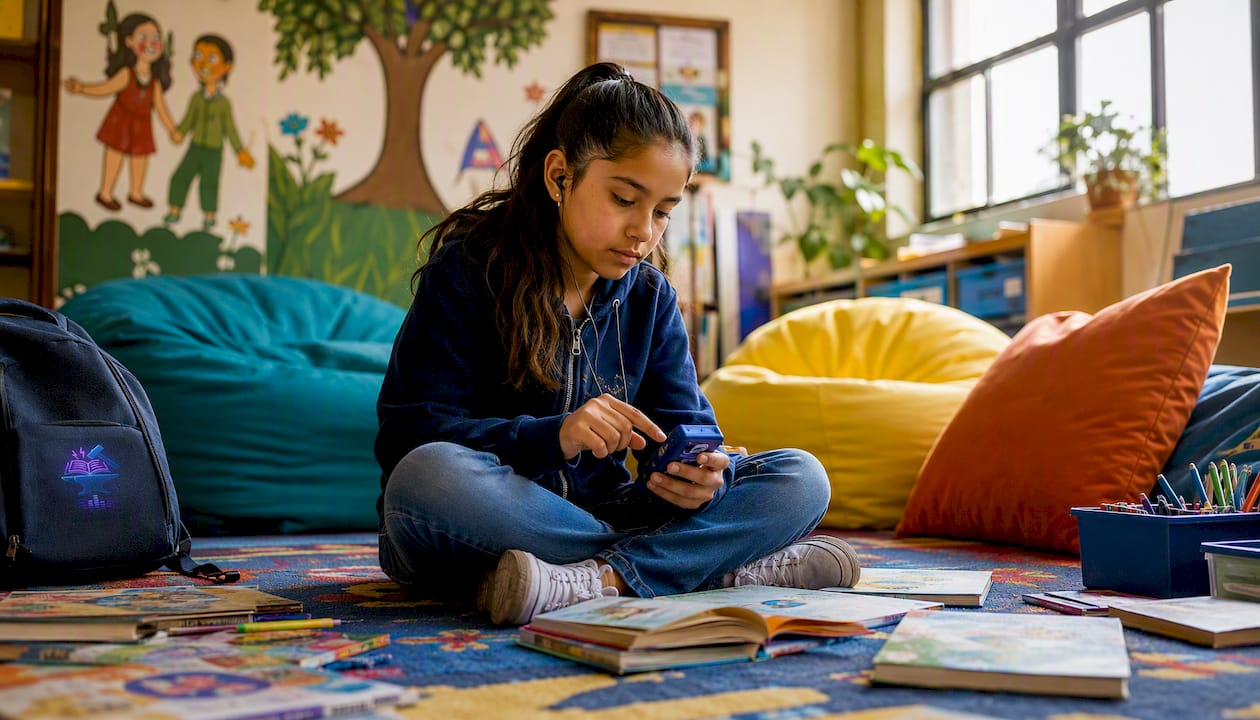
What does the research actually show about audio supports?
The evidence for audio-based learning methods with struggling readers and English learners is strong and consistent across study types.
A peer-reviewed study published in PMC found that audio support improves strategy use, time on task, and performance for students with reading difficulties, with measurable gains in comprehension scores compared to text-only conditions. The practical implication: audio is not a crutch. It is an access ramp that lets students engage with grade-level content while decoding skills develop.
Practitioner reports from the SOK Foundation and UNICEF, implemented at scale, show that pairing audio-first design with natural narration produced strong educator adoption and classroom engagement across diverse learner populations. The key design principle was sequencing: audio and visual context before written text, not alongside it.
"Program design that sequences audio exposure before text, introducing vocabulary via audio and visual context with repetitive checkpoints, reduces working-memory load and supports decoding instruction later." — SOK Foundation and ElevenLabs implementation notes
Research published in Annals of Dyslexia consistently links audiobook access and dyslexia outcomes to improved word recognition and reading motivation when audio supports are sustained over time, not used as one-off interventions. Sustained use matters. A four-week pilot is a start; eight weeks is where measurable fluency gains typically appear.
The Texas School for the Blind and Visually Impaired documents how audio-assisted reading expands curriculum access for students with print disabilities, noting that synchronized audio and text together outperform audio alone for comprehension. Multilingual audio support also accelerates functional classroom participation for ELLs, enabling vocabulary acquisition before full decoding skills develop.

The three outcomes worth tracking in any pilot: words correct per minute (fluency), short comprehension probe scores (understanding), and minutes of active listening (engagement). These are low-burden, teacher-collectible, and they correlate with the gains the research documents.
How do you choose an audio literacy tool for an under-resourced classroom?
Use this rubric in priority order. Cost and offline capability come first because a tool that requires a budget you do not have, or an internet connection you cannot guarantee, is not actually available to your students.
- Cost and licensing: Is there a free tier, a district license, or a grant-eligible pricing model? Can you start with zero cost using built-in device TTS?
- Offline capability: Can students access content without internet? Can content be predownloaded for home use?
- Narration quality: Is narration human or high-fidelity synthetic? Does it include natural prosody and appropriate pacing?
- Multilingual support: Does the tool support students' home languages? Can vocabulary be introduced in L1 before English?
- Ease of rostering and management: Can a single teacher set it up without IT support? Is the student login process simple enough for K–3?
- Data privacy and FERPA compliance: Does the vendor clearly state FERPA compliance? Is student data sold or shared with third parties?
- Progress tracking: Does the tool give teachers readable data (time on task, comprehension scores, completion rates) without requiring a data analyst to interpret?
- Curriculum alignment: Does the content library match grade-level texts or subject areas you actually teach?
Questions to ask an ed-tech vendor or procurement team:
- Does this tool work fully offline, or does it require a persistent internet connection?
- What languages are supported, and how many titles or lessons are available in each?
- What does FERPA compliance look like in practice? Who can access student data?
- What is the minimum device spec? Does it run on the devices we already have?
- How long does initial teacher setup take, and is training included?
- What progress data does the teacher dashboard show, and how often does it update?
- Is there a free pilot period, and what happens to student data if we do not renew?
Red flags to walk away from:
- Cloud-only with no offline or download option
- Opaque data policies or no explicit FERPA statement
- No teacher dashboard or progress tracking
- Single-language content library only
- Requires dedicated IT support for basic setup
- No free trial or pilot option for under-resourced schools
Classroom-ready implementation: steps, lesson ideas, and metrics
Phased rollout checklist
- Pilot with a small group (weeks 1–2): Select a small group of students. Confirm devices work with the chosen tool. Predownload content if offline. Brief students on how to use playback controls.
- Teacher training (week 1): One 60-minute session covering the dashboard, progress reports, and how to assign content. No more than that. Complexity kills adoption.
- Family communication (week 1): Send a one-page note explaining what the tool does, how students will use it, and what families can do at home (even just listening together).
- First lesson cycle (weeks 2–4): Run two structured sessions per week using the lesson formats below. Collect baseline WCPM and comprehension probe scores before week 2.
- Mid-pilot check (week 4): Review engagement logs and comprehension scores. Adjust content difficulty or session length based on what you see.
- Scale decision (week 6–8): If gains are visible and teacher workflow is manageable, present data to administration for class- or grade-wide rollout.
Lesson plan 1: listening-first vocabulary session (30 minutes)
Goal: Introduce 5–8 new vocabulary words before students encounter them in text. Teacher actions: Play a short audio passage with target words in context. Pause after each word; display an image or gesture. Replay the passage once. Students repeat target words aloud. Close with a quick verbal check: "Tell your partner what [word] means." Timing: Audio playback, discussion, repetition and check.
Lesson plan 2: audio-assisted guided reading session (40 minutes)
Goal: Build fluency and comprehension using synchronized audio and text. Teacher actions: Students follow along in text while audio plays at a slightly faster pace than their independent reading rate. Pause at two or three points for comprehension questions. Students reread one paragraph independently after audio. Close with a 3-question written or verbal comprehension probe. Timing: Audio with follow-along, pause and discuss, independent reread, comprehension probe.
Monitoring metrics
| Metric | What it measures | How to collect | Frequency |
|---|---|---|---|
| Words correct per minute | Oral reading fluency | timed oral read | regular intervals |
| Comprehension probe score | Reading understanding | a few question written or verbal probe | regular intervals |
| Active listening minutes | Engagement and time on task | Tool dashboard or teacher log | regular intervals |
| Vocabulary check (verbal) | Word retention from audio | Quick partner-share or exit ticket | After each vocabulary session |
What are the best low-cost and offline options for tight budgets?
The good news: you do not need a district license to start. Several practical options cost little to nothing and work without reliable internet.
- Built-in device TTS: iPads, Chromebooks, and Android tablets all have free, built-in text-to-speech. Turn it on in accessibility settings. It takes five minutes and costs nothing.
- Public library audiobooks: Most U.S. public libraries offer free digital audiobook lending through apps like Libby (OverDrive). Students with a library card can access thousands of titles, many downloadable for offline use.
- Teacher-recorded audio: Record yourself reading a chapter or vocabulary list using a free app like Voice Memos or Audacity. Share via Google Drive or load onto a shared device. Families trust a familiar voice.
- Preloaded MP3 players: Inexpensive MP3 players loaded with teacher-recorded or downloaded audiobooks require no internet, no login, and no app. They can be sent home with students who lack devices.
- SD-card audio devices: Some offline AI audio tutor prototypes use embedded microcontrollers and local storage. Similar principles apply to low-cost SD-card players loaded with structured audio lessons.
- Offline-capable apps: Several literacy apps allow content to be downloaded for offline use. Prioritize this feature in any procurement conversation.
For procurement, look at Title I funding, E-Rate program discounts, and community donation drives for devices. Local public library partnerships can extend audiobook access at no cost to the school.
Checklist for preparing offline audio content:
- Use MP3 or AAC format (broadest device compatibility)
- Minimum narration quality: recorded in a quiet space, no background noise, clear diction
- Label files with title, chapter, and reading level for easy teacher navigation
- Include a simple text log so teachers can track which students accessed which content
Pro Tip: Before spending any budget, audit what is already on your classroom devices. Built-in TTS on iPads and macOS, combined with free library audiobook access, can cover a meaningful portion of your audio literacy needs at zero cost. Spend money only on what those free options genuinely cannot do.
Why listening-first pedagogy and offline AI tutors are changing the field
The listening-first approach flips the traditional sequence. Instead of asking students to decode text before they understand the content, it introduces vocabulary and classroom language through audio and visual context first. Decoding instruction follows once students have a semantic foothold. For ELLs and students in high-stress environments, this sequence reduces cognitive load in a measurable way: students are not simultaneously managing unfamiliar sounds, unfamiliar words, and unfamiliar print conventions.
"Offline-capable AI audio tutors and embedded-audio devices are being used to give equitable English listening practice where high-speed internet is unreliable, using embedded microcontrollers and local storage to deliver audio instruction without persistent internet." — ALEC offline AI audio tutor research
Offline AI tutor prototypes take this further. By processing locally rather than calling a cloud server, they deliver consistent instruction regardless of connectivity. In schools where the internet drops out mid-lesson, that reliability is not a convenience. It is the difference between a lesson that happens and one that does not.
One ethical note worth stating plainly: when AI-generated audio is used with vulnerable learners, voice quality, consent, and teacher oversight all matter. Students and families should know whether they are hearing a human narrator or a synthetic voice. Teachers should retain control over what content plays and when. Platforms that are transparent about their voice sourcing and that compensate human narrators fairly are making a choice that reflects on the institution using them.
Pro Tip: For pronunciation practice alongside your audio literacy work, pronunciation-focused tools can supplement listening-first sessions, particularly for ELLs building phonemic awareness in English.
Coreforgeaudio supports underserved classrooms with human-narrated audio
Coreforgeaudio is built around the same principles the research supports: human narration, offline access, multilingual content, and accessibility features designed for students with reading barriers.
- Human-narrated audiobooks: Professional voice actors, not synthetic TTS, for core content. Natural prosody that supports comprehension and engagement.
- Dyslexia-friendly fonts: Integrated display options that reduce visual crowding for students with dyslexia.
- Adjustable narration speed: Students can slow down or speed up playback to match their processing pace.
- Multilingual support: Content and interface options for non-English speakers, supporting ELL vocabulary acquisition before full English decoding develops.
- Offline and download options: Content can be downloaded for use without internet, addressing the single most common barrier in under-resourced settings.
- Ethical voice practices: Fair compensation for human narrators and transparent AI use policies.
Coreforgeaudio aligns directly with the listening-first, offline-ready approach the evidence supports. For a classroom pilot, setup is designed to be minimal: select content, download for offline use, and assign to students. No complex rostering or IT dependency required.
Key Takeaways
Human-narrated audiobooks with offline capability are the highest-impact, most equitable starting point for any audio literacy pilot in an under-resourced classroom.
| Point | Details |
|---|---|
| Start offline-first | Prioritize tools that allow content download; cloud-only tools fail where connectivity is unreliable. |
| Human narration over synthetic TTS | Natural prosody reduces cognitive load for struggling readers and ELLs; use built-in TTS only for supplementary tasks. |
| Low-cost options exist now | Built-in device TTS, public library audiobooks via Libby, and teacher-recorded MP3s cost nothing and can launch a pilot today. |
| Track three metrics | Monitor WCPM, comprehension probe scores, and active listening minutes biweekly to document gains for grant reporting. |
| Coreforgeaudio as a pilot option | Coreforgeaudio offers human-narrated audiobooks, dyslexia-friendly features, multilingual support, and offline access aligned to the evidence reviewed here. |
The gap between what audio tools promise and what classrooms actually need
There is a version of the audio literacy conversation that stays at the level of features: this tool has TTS, that one has multilingual support, another has a dashboard. That conversation is useful, but it misses the harder question, which is whether the tool actually works when the Wi-Fi drops, when the teacher has 28 students and no aide, and when the student sitting in the back has never heard a story read aloud at home.
What the research keeps showing, and what practitioners in the field confirm, is that the delivery mechanism matters less than two things: whether students can actually access the content consistently, and whether the narration quality is good enough to hold their attention. A beautifully designed app that requires a stable internet connection is less useful in many Title I schools than a preloaded MP3 player. A synthetic voice that sounds robotic loses students faster than a teacher's own recorded voice, even if the recording quality is imperfect.
The listening-first sequence is the insight that tends to get lost in the feature comparison. Introducing vocabulary through audio before students encounter it in print is not just a pedagogical preference. It is a cognitive load decision. Students who already know what a word means when they see it in text have one less thing to figure out. That margin is where struggling readers make gains.
Coreforgeaudio's emphasis on human narration and ethical voice practices reflects an understanding of this. The platform is not yet at full scale, but its design priorities are the right ones. For educators building a pilot, the question is not which tool has the longest feature list. It is which tool your students will actually use, consistently, in the conditions you actually have.
Useful sources and further reading
- Audio Support Features as Instructional Tools — NERA 2024 practitioner paper on audio supports in classroom instruction
- The effect of audio support on strategy, time, and performance — PMC peer-reviewed study on audio supports and reading outcomes
- Annals of Dyslexia: audiobooks and dyslexia outcomes — PubMed-indexed research on sustained audiobook use and word recognition
- Audio-assisted reading for students with print disabilities — Texas School for the Blind and Visually Impaired practitioner resource
- ALEC offline AI audio tutor research — Research on offline-capable audio tutors for equitable access
- Aural AI: listening-first literacy for rural K–12 learners — India AI use case on offline-first audio literacy design
- How audiobooks reduce achievement gaps for students — Coreforgeaudio blog: equity and audiobook research summary
- Why multilingual audio aids ESL learners — Coreforgeaudio blog: evidence and classroom examples for ELLs
- How audiobooks improve student literacy outcomes — Coreforgeaudio blog: evidence summaries and monitoring measures
- Digital equity tools for classrooms — Coreforgeaudio blog: district-level procurement and equity guidance
- Best pronunciation apps for AI-powered learners — Partner resource: pronunciation and active-recall tools for ELLs
Coreforgeaudio gives underserved classrooms a practical place to start
Most audio literacy platforms are built for schools with reliable internet, functioning IT departments, and procurement budgets. Coreforgeaudio is built differently. Its human-narrated audiobook library, offline download capability, dyslexia-friendly display options, and multilingual support address the specific barriers that make audio tools fail in under-resourced settings.
For educators who have read this far and are ready to move from research to practice, Coreforgeaudio offers a concrete next step. The platform is designed for minimal setup: no complex rostering, no IT dependency, and content that can be downloaded before a lesson so connectivity is never the bottleneck. If you are building a pilot for a Title I classroom, a resource room, or a district equity initiative, explore what Coreforgeaudio offers and see whether it fits the conditions you are actually working in.