

Digital equity tools for classrooms are software and hardware solutions designed to give every student equal access to educational technology, including assistive features that support varied learning needs. More than 8 million U.S. students with disabilities rely on assistive technology for day-to-day learning, and that number represents a growing share of the total student population. Tools like Mote and OptiLearn are redefining what classroom technology access looks like, moving well beyond device distribution into genuine instructional support. AI-powered curriculum initiatives have shown that accessible digital textbooks can reduce development costs by up to 90%, making equitable digital resources more attainable for schools at every budget level.
What makes digital equity tools effective in classrooms?
Effective digital equity tools share a specific set of features that separate them from generic edtech. They offer assistive capabilities like text-to-speech, voice typing, and built-in dictionary support as standard features, not paid add-ons. They work on low-cost devices, function reliably with limited bandwidth, and integrate directly with the learning management systems your school already uses.
Browser-based tools deployed district-wide through centralized consoles like Google Admin require no extra hardware and deliver 100% consistent access across every student device. This matters because fragmentation is one of the biggest obstacles to equitable use. When students must toggle between five separate apps to access reading support, comprehension support, and language translation, the cognitive load undermines the very inclusion the tools are meant to provide.

Data privacy compliance is non-negotiable. The UNESCO Charter for Public Digital Learning Platforms frames digital equity as a civil rights issue, which means FERPA and COPPA compliance must be built into procurement decisions from the start, not reviewed after deployment. Tools that cannot demonstrate clear data governance policies should not reach students.
Pro Tip: Before piloting any new tool, map it against your district's existing LMS and device inventory. A tool that requires a separate login, a new app install, or a cloud connection your students don't have will see near-zero adoption within six weeks.
1. Mote: voice and audio feedback for all learners
Mote is a browser extension that adds voice messaging, text-to-speech, and audio feedback directly inside Google Workspace tools like Docs, Slides, and Classroom. Teachers can leave spoken comments on student work, and students can respond verbally instead of in writing. For students with dyslexia, ADHD, or language processing differences, this removes a significant barrier to participation.
Mote offers a free tier with core assistive features that can be deployed district-wide via Google Admin with no additional hardware. That means a district with 10,000 Chromebooks can activate Mote for every student in a single afternoon. The consistency of access matters as much as the feature set itself.
2. OptiLearn: offline AI tutoring for underserved classrooms
OptiLearn is an offline-first, AI-powered adaptive learning platform built specifically for classrooms without reliable internet. It runs locally on devices, supports adaptive quizzes and multilingual instruction without cloud dependency, and includes live class modes that work entirely on a local network. It was designed with refugee classrooms and under-resourced schools in mind.
The offline capability is the defining feature. Most AI-powered edtech assumes broadband access, which immediately excludes rural schools, Title I districts, and international classrooms. OptiLearn inverts that assumption. It treats connectivity as a bonus, not a requirement, which is exactly the infrastructure thinking that genuine digital inclusion in education demands.
3. AI-powered accessible digital textbooks
A UNICEF-backed initiative demonstrated that AI-powered production pipelines can cut curriculum development costs by up to 90%, while the program reached approximately 2 million children between September 2024 and August 2025. That scale was previously impossible with traditional publishing timelines and budgets. Accessible digital textbooks produced through these pipelines include screen-reader compatibility, adjustable text size, dyslexia-friendly fonts, and multilingual audio narration.
For administrators, this signals a shift in what "curriculum materials" can mean. Schools no longer need to choose between affordability and accessibility. AI-assisted production makes it possible to deliver both, and platforms like Coreforgeaudio are building on exactly this model to serve students with reading barriers through human-narrated, accessible audio content.
4. Universal Design for Learning frameworks and tools
Universal Design for Learning, or UDL, is the federal framework guiding how schools should design instruction to be accessible from the start rather than retrofitted for individual students. Tools that align with UDL provide multiple means of representation, action, and engagement. That means the same lesson is available as text, audio, video, and interactive activity without requiring a separate accommodation request.
Google's suite of accessibility tools, including Read&Write for Google Chrome and the built-in accessibility features in Chromebook OS, align with UDL principles and are widely deployed in U.S. public schools. For audio-based differentiated instruction, pairing UDL-aligned platforms with human-narrated audiobooks gives diverse learners multiple entry points into the same content.
5. Assistive technology for students with disabilities
Schools serving students under IDEA are legally required to provide assistive technology when it supports a student's educational goals. The tools that satisfy this requirement range from screen readers like JAWS and NVDA to AAC devices, captioning tools, and switch-access software. The key is that these tools must be embedded in daily instruction, not reserved for pull-out sessions.
Embedding assistive technology in everyday routines reduces stigma and strengthens neuroinclusive practices across the whole classroom. When every student uses text-to-speech during independent reading, the student who needs it most no longer stands out. That shift in classroom culture is as important as the technology itself.
6. Multilingual support tools for diverse learners
Language access is a core component of digital equity. Tools like Google Translate's built-in browser integration, Pear Deck's multilingual caption support, and platforms with native multilingual audio narration address the needs of English language learners and students in international or bilingual programs. For schools with high populations of newcomer students, multilingual audio learning tools are not supplemental. They are the primary access point.
OptiLearn's multilingual support running offline is a particularly strong example for districts where students speak multiple home languages and internet access is inconsistent. The tool does not require a student to be online or to switch between apps to access content in their preferred language.
How to compare and select tools for your school
Choosing among the available options requires a structured comparison. The table below maps the most commonly evaluated criteria against four leading tool categories.
| Tool / Category | Offline capability | Assistive features | LMS integration | Cost |
|---|---|---|---|---|
| Mote (browser extension) | No | Text-to-speech, voice feedback | Google Workspace | Free tier available |
| OptiLearn (adaptive LMS) | Yes | Multilingual, adaptive quizzes | Standalone | Open source |
| AI digital textbooks | Partial | Screen reader, dyslexia fonts | Varies by platform | Low via AI pipelines |
| UDL-aligned platforms | Varies | Multiple modalities | LMS native | Varies |
Infrastructure readiness is the first filter. A tool with outstanding features is useless if your students cannot access it reliably. Survey your device inventory, connectivity data, and LMS before shortlisting any product. Then evaluate whether the tool supports the specific disability categories present in your student population, since a general-purpose reading tool may not satisfy IDEA requirements for students who need AAC or switch access.
Pro Tip: Request a data privacy agreement and a FERPA compliance statement from every vendor before piloting. If a vendor cannot produce both documents within 48 hours, that tells you everything you need to know about their readiness for school deployment.
Best practices for implementing digital equity tools
Successful implementation depends on decisions made before the tool ever reaches a student. The following practices reflect what works in districts that have moved from pilot to full deployment.
- Do the philosophy work first. Define your district's values around accessibility before selecting tools. Equitable edtech requires infrastructure, literacy, and values alignment, not just device distribution. Engage educators, families, and disability advocates in that conversation.
- Embed tools in daily instruction. Assistive technology used only during accommodated testing sends the wrong signal. When every student uses the same tools every day, the classroom becomes neuroinclusive by design.
- Invest in teacher training. Consistent use depends on teacher confidence and leadership expectations. Coaching cycles, not one-time professional development sessions, produce lasting change.
- Prioritize integrated platforms over fragmented apps. Multiple disparate assistive apps create cognitive load and introduce additional privacy risks. Browser-based or LMS-native tools reduce both problems.
- Monitor and adapt. Track usage data, gather student and teacher feedback quarterly, and adjust your deployment based on what the data shows. A tool that no one uses is not an equity solution.
For schools implementing audiobooks in special education, the same principles apply. Consistency, teacher confidence, and integration with existing instruction determine outcomes far more than the specific platform chosen.
Key takeaways
The most effective digital equity tools combine offline capability, assistive features, LMS integration, and values-aligned deployment to serve every learner, not just those with formal accommodations.
| Point | Details |
|---|---|
| Assistive features must be standard | Text-to-speech, voice typing, and multilingual support should come free, not as paid upgrades. |
| Offline capability closes the access gap | Tools like OptiLearn serve students in low-connectivity classrooms where cloud-based tools fail. |
| Embed tools in daily instruction | Routine use reduces stigma and builds neuroinclusive classroom culture for all students. |
| Privacy compliance is non-negotiable | FERPA and COPPA alignment must be confirmed before any tool reaches student devices. |
| Teacher training determines adoption | Coaching cycles, not one-time sessions, produce the consistent use that equity requires. |
Why digital equity is still an infrastructure and values problem
I have spent years watching districts buy devices, celebrate the rollout, and then wonder why nothing changed for their most vulnerable students. The hardware was there. The gap remained. What was missing was the philosophy work that should have come first.
Digital equity is a civil rights issue, and treating it as a procurement checklist is the most common mistake I see administrators make. You cannot buy your way to inclusion. You have to define what inclusion means for your community, then select tools that reflect those values. That means involving disability advocates, multilingual families, and classroom teachers in the decision, not just the IT department.
The fragmentation problem is real and underappreciated. I have seen students navigate six different apps before they can access a single reading assignment. Each login is a barrier. Each new interface is cognitive overhead. Integrated platforms that live inside the tools students already use, like Google Workspace extensions or LMS-native features, remove that friction in a way that standalone apps never will.
Offline capability is the other underrated factor. Most edtech conversations assume broadband. That assumption excludes a significant portion of U.S. students and the majority of students in lower-income countries. Tools like OptiLearn prove that AI-powered, adaptive, multilingual instruction does not require the cloud. That should change how every district evaluates its options.
The educators who get this right share one trait. They treat tool selection as a values conversation, not a features comparison. They ask whether a tool reflects what they believe about student thinking, student dignity, and student rights. That question produces better outcomes than any feature matrix.
— Sarmed
How Coreforgeaudio supports accessible audio learning
Coreforgeaudio is built on the same principles that make the best digital equity tools work: human narration, multilingual support, dyslexia-friendly design, and adjustable playback for learners who need flexibility. For educators seeking equitable digital resources that go beyond device access, Coreforgeaudio offers a platform where every audiobook is narrated by a real voice actor and every accessibility feature is built in from the start.
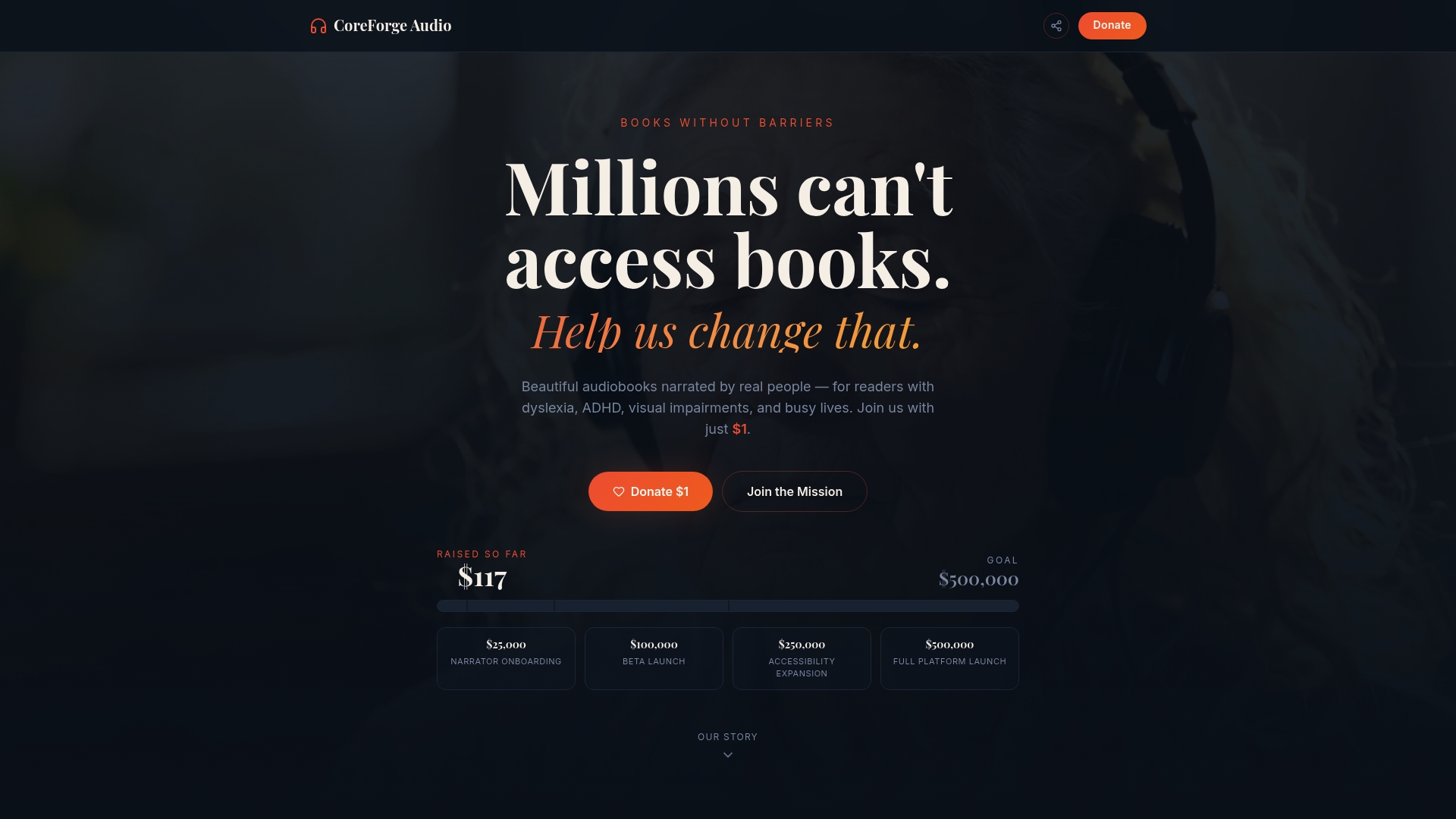
Whether you are supplementing a UDL-aligned curriculum or supporting students with visual impairments, ADHD, or reading differences, Coreforgeaudio provides audio curriculum support grounded in social impact and ethical technology. Explore the platform and support the mission at coreforgeaudio.com.
FAQ
What are digital equity tools for classrooms?
Digital equity tools for classrooms are software and hardware solutions that give all students equal access to educational technology, including assistive features like text-to-speech, multilingual support, and offline learning capabilities. They are designed to remove barriers created by disability, language, or limited connectivity.
How do schools deploy assistive technology district-wide?
Browser-based tools like Mote can be deployed through centralized consoles like Google Admin with no extra hardware, delivering consistent access across every student device in a single configuration step.
What is the difference between assistive technology and digital equity tools?
Assistive technology refers specifically to tools that support students with disabilities, while digital equity tools address a broader range of access barriers including language, connectivity, and device limitations. The two categories overlap significantly in practice.
Are there free digital equity tools for low-budget schools?
Yes. Mote offers a free tier with core assistive features, OptiLearn is open source and offline-capable, and Google's built-in Chromebook accessibility tools are available at no additional cost to schools already using Google Workspace for Education.
How does audio content support digital inclusion in education?
Audio-based tools support students with dyslexia, visual impairments, ADHD, and language barriers by providing an alternative pathway to written content. Human-narrated audiobooks and voice-based feedback tools, like those offered through Coreforgeaudio, extend access to learners who cannot engage reliably with text alone.