

The most common accessibility gaps in ebooks are missing semantic headings, absent or inadequate alt text, broken reading order, missing language tags, hardcoded styling with low contrast, inaccessible tables and math, missing captions or transcripts, and DRM barriers that block assistive technology. These failures appear across formats, but EPUB and PDF are where they concentrate most. EPUB Accessibility 1.1 and EPUB Accessibility 1.2 from W3C define the baseline every publisher should meet, and WCAG underpins all of it.
Quick fixes by gap:
- Missing semantic headings: Replace styled text with actual
<h1>–<h6>elements. Never skip levels. - Absent alt text: Every informational image needs a descriptive
altattribute. Cover images especially are often missing descriptive alt strings. - Broken reading order: Check that the EPUB spine matches the visual and logical flow. Reorder content documents if they diverge.
- Missing language tags: Declare
xml:langandlangon the root element of every content document. - Hardcoded styling/low contrast: Remove inline font-size declarations; use relative units. Verify text-to-background contrast meets WCAG 4.5:1 for normal text.
- Inaccessible tables: Add
<caption>,<th scope>, and<summary>where needed. Avoid merged cells when a simpler layout works. - Missing captions/transcripts: Every video needs closed captions; every audio clip needs a transcript.
- DRM barriers: DRM can block TTS engines and braille displays unless the reading system exposes content via accessibility APIs.
Coreforgeaudio builds its platform around these exact principles, pairing human-narrated audio with dyslexia-friendly display options so learners never hit a dead end.
Table of Contents
- Why do accessibility gaps hurt diverse learners so much?
- What do the most common technical gaps look like, and how do you fix them?
- How do you test an ebook for accessibility end-to-end?
- How should you prioritize fixes when resources are limited?
- Which standards and tools should you follow?
- Why does navigation structure make or break the reading experience?
- How can educators and creators identify and fix gaps step by step?
- What do real-world accessibility failures actually look like?
- What pitfalls should you avoid during remediation?
- Key Takeaways
- The case for born-accessible workflows
- Coreforgeaudio makes accessible audio a practical next step for educators
- Authoritative sources and tools for deeper reading
Why do accessibility gaps hurt diverse learners so much?
Accessibility gaps directly reduce learning outcomes for readers with dyslexia, visual impairments, and attention differences. The WCAG framework organizes failures into four principles: Perceivable, Operable, Understandable, and Robust (POUR). Each gap maps cleanly to one of them.
- Perceivable: Missing alt text means a screen-reader user hears "image" with no context. A student navigating a biology textbook loses the diagram entirely.
- Operable: Broken heading structure collapses keyboard navigation. A reader using JAWS or NVDA cannot jump between chapters; they must listen to every word from the start.
- Understandable: Unclear link labels like "click here" give no destination context. For a reader with ADHD, that friction compounds quickly across a long document.
- Robust: Hardcoded font sizes and fixed-layout EPUBs resist user customization. A low-vision reader who needs 200% zoom gets cut-off text instead.
Pro Tip: Passing an automated validator does not mean the ebook is usable. EPUBCheck catches structural errors, but it cannot judge whether alt text is descriptive, whether heading levels make logical sense, or whether the reading order matches the author's intent. Human review is not optional.
Accessible reading materials benefit every learner, not just those with diagnosed disabilities. Educators who treat accessibility as a learning-design decision, not a compliance checkbox, see broader engagement across their whole classroom.
What do the most common technical gaps look like, and how do you fix them?
| Gap | Quick Check | Immediate Fix |
|---|---|---|
| Skipped heading levels | Inspect DOM; look for <h1> jumping to <h3> | Restructure to sequential levels; never skip |
| Missing alt text | Run EPUBCheck + manual image audit | Add descriptive alt; use alt="" for decorative images only |
| Spine/TOC mismatch | Compare NCX/nav order to visual flow | Reorder spine entries to match logical reading sequence |
| Missing language tag | Check <html lang=""> in each content doc | Add lang="en" (or correct BCP 47 code) to root element |
| Missing accessibility metadata | Inspect package document for schema.org fields | Add accessMode, accessibilityFeature, accessibilitySummary |
| Inaccessible tables | Look for missing <th> and <caption> | Add scope attributes and captions; simplify merged cells |
| Hardcoded font sizes | Search CSS for px font declarations | Switch to em or rem; remove !important overrides |
| Fixed-layout EPUB | Check rendition:layout in package | Provide alternate reflowable version or synchronized audio |
| Missing captions/transcripts | Play media; check for <track> elements | Add WebVTT captions; provide full transcripts |
| DRM blocking assistive tech | Test with screen reader on locked file | Evaluate DRM policy; use accessibility-API-compatible systems |
Semantic headings and reading order
A heading that looks bold and large is not a heading unless the markup says so. Screen readers build a navigation model from <h1>–<h6> tags. When a publisher styles a paragraph to look like a heading, that model breaks. The fix is straightforward: audit every styled "heading" in the source file and replace it with the correct element. Reading order failures are subtler. The EPUB spine defines the sequence reading systems follow, and it must match the logical flow a sighted reader would experience. EPUB Accessibility Techniques 1.1 specifically requires TOC order to align with the linear reading sequence.

Alt text and extended descriptions
Missing or empty alt attributes are the single most common failure in real-world EPUBs. A cover image with no alt text is a missed opportunity; a data chart with no alt text is a genuine barrier. For complex images, a short alt string is not enough. Use aria-describedby or a linked long description to convey the full meaning. Bad practice: alt="chart". Better: alt="Bar chart showing reading scores by grade level, with Grade 4 scoring highest at 82%." For purely decorative images, use alt="" so screen readers skip them silently.
Fixed-layout EPUBs
Fixed-layout EPUBs present unique accessibility challenges: text is often rasterized into images, reflow is disabled, and user font preferences are ignored. Picture books and heavily designed textbooks frequently use this format. The spec includes companion guidance, but the honest answer is that many fixed-layout EPUBs require either a parallel reflowable version or synchronized text-audio overlays to meet WCAG requirements.
Missing captions, transcripts, and audio descriptions
Video without captions excludes deaf and hard-of-hearing learners. Audio without transcripts excludes them too, and also learners in noisy environments. Audio descriptions for video content serve blind users. These are not edge cases in educational publishing; they are baseline requirements under WCAG 1.2. Synchronized text-audio (media overlays) must also identify escapable structures so users can skip non-essential playback.
How do you test an ebook for accessibility end-to-end?
The recommended sequence: run an automated validator, check authoring-source files, do a manual markup review, test with assistive technology, then conduct user testing with real readers.
- EPUBCheck — validates package structure, spine, metadata, and broken links. Required first step.
- Accessibility linter — flags common WCAG failures like missing
langattributes, empty links, and missing form labels. - Manual markup review — inspect heading hierarchy, alt text quality, table structure, and reading order by opening the content documents directly.
- Screen reader testing — test with NVDA or JAWS on Windows, VoiceOver on macOS and iOS, and TalkBack on Android. Navigate by heading, by landmark, and by reading order.
- Braille display testing — if available, connect a refreshable braille display to confirm text exposure is not blocked by DRM or scripting.
- User testing — recruit readers with dyslexia, visual impairments, or ADHD to complete realistic tasks. No automated tool replicates this.
EPUB Accessibility 1.2 is explicit: you must evaluate the full publication, not individual content documents in isolation. Spine order, TOC completeness, and media overlay semantics are cross-document properties that chapter-by-chapter checks miss entirely.
Two gotchas worth knowing: validators cannot assess descriptive quality of alt text or logical heading structure, and fixed-layout EPUBs need alternate renderings or synchronized audio before automated passes mean anything meaningful. For how screen readers interact with semantic structure, the implications run deeper than most authors expect.
How should you prioritize fixes when resources are limited?
Fix barriers that block basic access before anything else. A reader who cannot navigate the document at all is worse off than one who experiences a suboptimal color scheme.
| Priority | Gap | Effort | Who Does It |
|---|---|---|---|
| Quick win | Add/fix alt text | Low (hours) | Author or editor |
| Quick win | Declare language tags | Low (minutes) | Author or production |
| Quick win | Add accessibility metadata | Low (time varies) | Production |
| Medium | Fix heading hierarchy | Moderate (half day) | Author + production |
| Medium | Add captions/transcripts | Moderate (per asset) | Production or vendor |
| Medium | Fix table markup | Moderate | Production |
| Major rewrite | Convert fixed-layout to reflowable | High (days to weeks) | Vendor |
| Major rewrite | Resolve DRM/assistive-tech conflict | High (policy + tech) | Publisher + IT |
A classroom publisher with 50 titles should run EPUBCheck across the catalog first, fix metadata and language tags in a batch pass, then triage alt text by title priority. An individual educator self-publishing one course book should fix headings and alt text before worrying about color contrast ratios.
Which standards and tools should you follow?
Core standards:
- WCAG (via EPUB Accessibility 1.1/1.2) — the baseline for all perceivable, operable, understandable, and robust requirements.
- EPUB Accessibility 1.1 and 1.2 — add EPUB-specific requirements: structured navigation, declared reading order, and schema.org accessibility metadata in the package document.
- EPUB Accessibility Techniques 1.1 — practical authoring guidance for TOC alignment, media overlays, and escapable structures.
- DAISY/W3C guidance — the DAISY Consortium co-develops the EPUB Accessibility specs and publishes practical how-to resources for born-accessible workflows.
Validators and tools:
- EPUBCheck — the authoritative syntax and package validator. Catches missing metadata, broken links, and malformed markup. Does not assess descriptive quality.
- Accessibility linters — catch common WCAG failures automated validators miss.
- axe DevTools and similar browser extensions — useful for inspecting individual HTML content documents.
Distribution note: Accessibility metadata in ONIX and MARC records lets librarians and procurement officers identify accessible titles before purchase. DRM that blocks assistive technology is a distribution-level problem, not just a technical one. Publishers should audit their DRM policies alongside their content.
For device compatibility and distribution workflows, The Digital Reads offers practical notes on making books work across reading systems.
Why does navigation structure make or break the reading experience?
Heading levels, landmarks, page reading order, and a complete table of contents are the skeleton of an accessible ebook. Without them, a screen-reader user has no map.
Heading levels must be sequential. An <h1> followed by an <h3> creates a gap in the navigation model that JAWS and VoiceOver users experience as a missing section. Landmarks (<nav>, <main>, <aside>) let users jump directly to content regions without tabbing through everything. The TOC must reflect the actual reading order, not just the chapter titles. An incomplete TOC can cause a publication to fail WCAG navigation requirements even when the content itself is well-structured.
Page reading order in fixed-layout EPUBs is especially fragile. When content spans two pages, ordering each document separately by visual display creates gaps for assistive-technology users. The spec recommends either restructuring the markup for logical flow or providing a hyperlink to bridge the break point.
How can educators and creators identify and fix gaps step by step?
Start with what you can see, then go deeper.
Step 1: Open the EPUB in EPUBCheck. Fix every error and warning before proceeding. Structural failures invalidate everything downstream.
Step 2: Open the package document and verify accessMode, accessibilityFeature, and accessibilitySummary are present. These fields power discoverability and procurement decisions.
Step 3: Open each content document and inspect heading structure. Use browser developer tools or an EPUB editor like Sigil. Confirm no levels are skipped and every chapter opens with an <h1>.
Step 4: Audit every image. Ask: does this image convey information? If yes, does the alt text describe that information specifically? If the image is a chart or diagram, is there an extended description?
Step 5: Test with a screen reader. Navigate by heading (H key in NVDA/JAWS), by landmark, and by reading order. If the experience feels broken, it is broken.
Step 6: Check media. Play every video and audio clip. Confirm captions exist and sync correctly. Confirm transcripts are linked or embedded.
Step 7: Review color contrast using a tool like the WebAIM Contrast Checker. Normal text needs a 4.5:1 ratio; large text needs 3:1.
Step 8: Document what you find and assign fixes to the right person. Authors fix heading structure and alt text at the source. Production teams fix metadata and CSS. Vendors handle format conversions. How accessible content improves outcomes for learners is well-documented; the work pays off.
What do real-world accessibility failures actually look like?
Case 1: The invisible chart. A high school science textbook EPUB contains 40 diagrams. Every image has alt="image" because the authoring tool auto-populated the field. A student using VoiceOver hears "image, image, image" through an entire chapter on cell biology. The fix took one afternoon: an editor wrote descriptive alt strings for each diagram using the caption text as a starting point.
Case 2: The unnavigable novel. A literary anthology uses styled <p> tags with bold formatting for all chapter titles. No <h> elements exist anywhere in the file. A blind reader using JAWS cannot jump between stories and must listen from the beginning every session. Remediation required opening the source file in Sigil and replacing 60 styled paragraphs with proper heading elements.
Case 3: The locked textbook. A community college licenses a STEM textbook with aggressive DRM. Students using screen readers report that the reading system cannot expose text to TTS. The publisher's DRM system does not implement accessibility APIs. The college's accessibility coordinator escalates to the publisher; the resolution takes months and requires a policy exception for assistive-technology users.
Case 4: The fixed-layout picture book. A children's publisher releases an illustrated ebook in fixed-layout EPUB. Text is embedded in images. A child with low vision cannot resize the text, and a child using a screen reader hears nothing meaningful. The fixed-layout accessibility spec recommends a parallel reflowable version or synchronized audio as the practical path forward.
What pitfalls should you avoid during remediation?
Remediation looks straightforward until you are three weeks in and the catalog is still broken. These are the mistakes that waste the most time.
Treating validator passes as done. EPUBCheck passing means the file is structurally valid. It does not mean it is usable. Automated validators cannot judge descriptive quality, logical heading structure, or whether the reading order matches the author's intent. Always follow up with manual review.
Fixing symptoms, not sources. If the authoring workflow produces files without language tags, fixing them post-export is a treadmill. Fix the template or the export settings so every new file comes out correctly.
Retrofitting instead of rebuilding workflows. Embedding accessibility early is far more cost-effective than fixing a back-catalog. Organizational change, staff training, and updated style guides are the hidden cost of remediation that most publishers underestimate.
Ignoring user testing. Accessibility experts and automated tools together still miss things that a real reader with a screen reader or braille display finds in five minutes. Budget for at least one round of user testing per major title.
Applying one fix universally. A role="presentation" on a layout table is correct. The same attribute on a data table destroys its structure for screen-reader users. Context matters for every fix.
Key Takeaways
Fixing access-blocking gaps first, including reading order, alt text, headings, and metadata, delivers the highest return on limited remediation budgets.
| Point | Details |
|---|---|
| Run EPUBCheck first | Fix every structural error before any manual review; a broken package invalidates downstream checks. |
| Alt text is the top failure | Missing or generic alt attributes are the most common real-world EPUB failure; every informational image needs a specific description. |
| Full-publication testing required | EPUB Accessibility 1.2 requires evaluating the whole publication, not individual documents, to catch spine and TOC issues. |
| Validators are not enough | Automated tools miss descriptive quality, heading logic, and usable reading order; human and assistive-technology testing are required. |
| Coreforgeaudio as a complement | Coreforgeaudio pairs human-narrated audio with dyslexia-friendly display and adjustable narration speeds, filling gaps that even well-remediated EPUBs leave for diverse learners. |
The case for born-accessible workflows
Most accessibility conversations in publishing start at the wrong end. The question is usually "how do we fix this file?" when it should be "why did this file ship broken?" The gap between those two questions is where most remediation budgets disappear.
Born-accessible workflows treat accessibility as a design constraint from day one, not a post-production task. That means style guides with correct heading hierarchies, image templates that prompt for alt text, export settings that declare language tags automatically, and QA checklists that include screen-reader testing before a file ships. The cost difference between building it right and fixing it later is not marginal. For large catalogs, it is the difference between a manageable annual process and a multi-year remediation project.
There is also a subtler point that most guides miss: accessibility metadata is a discoverability tool, not just a compliance field. When accessibilitySummary and accessibilityFeature are populated correctly in the package document and reflected in ONIX records, librarians and procurement officers can actually find and select accessible titles. The content exists; the metadata makes it findable.
Coreforgeaudio's approach starts from this same principle. Human narration, dyslexia-friendly fonts, and adjustable speeds are not features bolted on after the fact. They are the product. Audiobooks as a lifeline for visually impaired readers is not a metaphor; it is what happens when the format is designed around the reader's actual needs from the start.
Coreforgeaudio makes accessible audio a practical next step for educators
Accessible EPUBs solve a lot. They do not solve everything. A well-structured ebook still requires a reader to process text, and for learners with dyslexia, ADHD, or visual impairments, that processing barrier remains even when the markup is perfect.
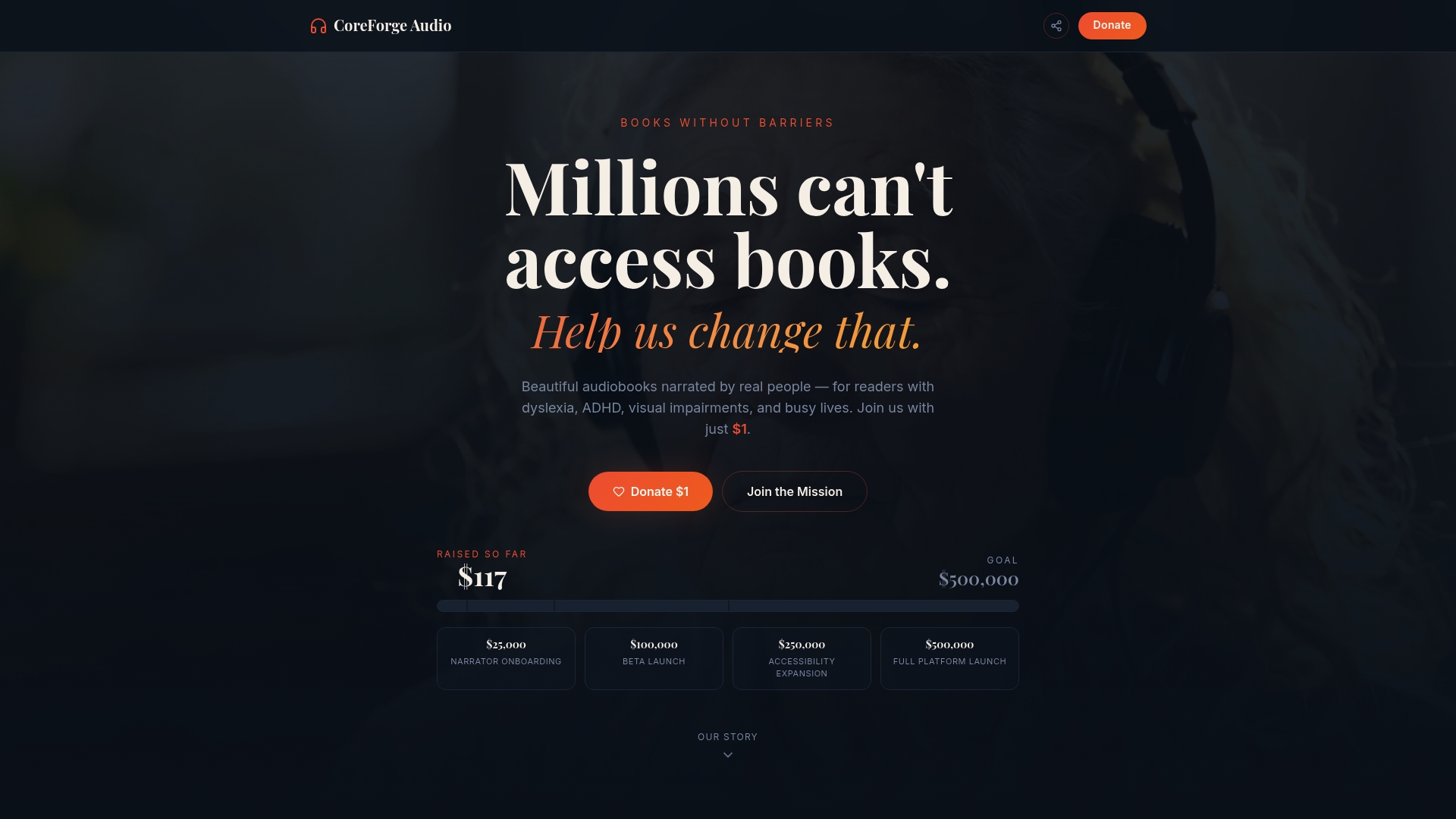
Coreforgeaudio fills that gap with human-narrated audiobooks, dyslexia-friendly display options, and adjustable narration speeds built into the platform from the ground up. Educators can pair accessible EPUBs with Coreforgeaudio's narrated supplements or use the upload-to-audio workflow to convert course materials into audio format. The platform is designed for the learners who need it most, not as an afterthought. For educators exploring pilot options or looking for accessible audiobook solutions for their classrooms, visit Coreforgeaudio to see current donation tiers, early access options, and the accessibility-first features already built in.
Authoritative sources and tools for deeper reading
- EPUB Accessibility 1.2 (W3C Candidate Recommendation) — the current spec for full-publication evaluation, accessibility metadata requirements, and synchronized audio guidance.
- EPUB Accessibility 1.1 (W3C) — structured navigation, reading order, and schema.org metadata requirements; still the widely-adopted baseline.
- EPUB Accessibility Techniques 1.1 — practical authoring guidance for TOC alignment, media overlays, and escapable structures.
- EPUB Fixed Layout Accessibility (W3C) — companion guidance for fixed-layout challenges and best practices.
- Understanding EPUB Accessibility 1.2 — explanatory companion to the spec; covers reflow, page navigation, and heading structure in depth.
- How to Make an EPUB Accessible (epublys.com) — practical WCAG-aligned guide covering alt text, heading structure, and validator limitations.
- eBook Accessibility Standards and Testing Checklist (kitaboo.com) — covers DRM barriers, language tags, and common authoring failures with remediation tips.
- The Digital Reads — practical notes on device compatibility and distribution workflows for accessible book delivery.
- EPUBCheck — the authoritative open-source validator for EPUB package structure and metadata; available via the W3C/DAISY GitHub repository.