

Screen readers are assistive technologies that convert on-screen text, images, and controls into synthesized speech or refreshable braille output, giving people with limited or no vision full, independent access to digital content. Understanding why screen readers matter for access goes far beyond blindness. Approximately 7.6 million people in the United States rely on screen readers, with tools like JAWS, NVDA, VoiceOver, and TalkBack leading the market. The Web Content Accessibility Guidelines (WCAG) 2.2 and the Americans with Disabilities Act (ADA) both recognize screen reader support as a baseline requirement for equitable digital access. Without these tools, millions of people cannot read a news article, fill out a job application, or access a government service.
Why screen readers matter for access beyond blindness
Screen readers serve a much wider population than people who are blind. People with dyslexia, cognitive disabilities, traumatic brain injuries, and attention disorders all benefit from the multi-modal access that screen readers provide. Screen readers reduce visual overload by letting readers choose to listen, read braille, or use both simultaneously, which directly improves comprehension for people who struggle to process dense visual text.
The breadth of this population is significant. Consider these groups who regularly rely on screen reader functionality:
- People with dyslexia use text-to-speech output to follow along with written content without losing their place or misreading words.
- People with cognitive disabilities benefit from linear, structured audio delivery that removes the distraction of competing visual elements.
- People recovering from brain injuries often experience temporary vision or processing impairments that make screen readers a critical rehabilitation tool.
- Older adults with declining vision use screen readers to maintain independence online without needing large-print alternatives for every document.
- Sighted users in low-light or hands-free situations also use text-to-speech features, which are built on the same accessibility infrastructure.
The importance of screen readers extends to education and employment. A student with dyslexia who cannot access a digital textbook faces the same barrier as a blind student who cannot read an untagged PDF. Both are excluded by the same failure: inaccessible content design.
Pro Tip: If you are building content for any public audience, test it with a free screen reader like NVDA on Windows or the built-in VoiceOver on macOS. You will immediately hear where your content breaks down for people who cannot see the screen.

How do screen readers actually work?
Screen readers do not read raw HTML. They navigate an accessibility tree built by the browser, which contains roles, names, states, and values for every element on the page. This distinction matters enormously. A developer can write visually appealing HTML that is completely invisible to a screen reader if the underlying semantic structure is missing.
Here is how the process works from code to user:
- The browser parses HTML and builds the Document Object Model (DOM).
- The browser constructs the accessibility tree from the DOM, applying roles from semantic elements like
<nav>,<button>, and<h1>, or from ARIA attributes when native semantics are absent. - The screen reader queries the accessibility tree through the operating system's accessibility API, not the visual display.
- The user navigates using keyboard shortcuts, switching between browse mode (reading content linearly) and interactive mode (manipulating controls like forms and buttons).
- Dynamic content updates must be announced via ARIA live regions; otherwise, changes that happen after page load are silent to the screen reader user.
Advanced screen reader users switch between browse and interactive modes constantly. A custom dropdown built with <div> tags instead of native <select> elements will not trigger the mode change a screen reader expects. The user gets silence or confusion instead of a functional control.
Pro Tip: Never rely solely on automated accessibility checkers. Automated tools detect only 25–40% of real accessibility issues. Critical problems like broken reading order and missing focus management only surface during manual testing with an actual screen reader.

The table below shows the most common technical failures and their impact on screen reader users.
| Failure | What breaks | User impact |
|---|---|---|
| Missing alt text on images | Image name or "image" announced | No context for visual content |
| Unlabeled form fields | Field purpose unknown | Cannot complete forms independently |
| Custom components without ARIA | Role and state not exposed | Controls appear non-interactive |
| No ARIA live regions | Dynamic updates silent | Misses alerts, errors, and new content |
| Poor heading structure | Navigation landmarks missing | Cannot skim or jump to sections |
What does the law require for screen reader accessibility?
The U.S. Department of Justice states that inaccessible web content constitutes a barrier equivalent to a physical obstacle under the ADA. That framing is deliberate. A website without screen reader support is legally comparable to a store without a wheelchair ramp. The DOJ guidance applies to state and local governments, businesses open to the public, and organizations receiving federal funding.
Legal requirements for screen reader compatibility include:
- Descriptive alt text for all meaningful images, so screen readers can convey visual information in words.
- Properly labeled form fields with visible or programmatic labels that screen readers can announce before a user enters data.
- Full keyboard navigation for every interactive element, since screen reader users rely entirely on the keyboard rather than a mouse.
- Error identification that is programmatically associated with the relevant form field, not just indicated by color or position.
- Logical reading order that matches the visual layout, so content makes sense when read linearly by a screen reader.
The ethical case is just as strong as the legal one. Accessible content improves usability for keyboard users, mobile users, and older adults, not only for people with disabilities. Compliance and good design are not in conflict. They reinforce each other. Organizations that treat accessibility as a checkbox exercise miss the broader gain: a more usable product for everyone.
Failing to meet these standards excludes people from vital services. A person who is blind cannot access their bank account, apply for benefits, or read a health notice if those platforms ignore screen reader compatibility. That is not a minor inconvenience. It is a denial of participation in public life.
Best practices for designing screen reader-accessible content
Accessible design for screen readers starts with structure, not style. The most important thing a developer or content creator can do is use native HTML elements correctly before reaching for ARIA. A <button> is always better than a <div role="button"> because native elements carry built-in keyboard behavior and semantics.
Practical steps for screen reader-compatible content include:
- Write descriptive alt text that conveys the purpose of an image, not just its appearance. "Bar chart showing 40% increase in Q1 revenue" is useful. "Chart" is not.
- Label every form field with a visible
<label>element linked to its input via theforattribute. Placeholder text alone does not count. - Use heading tags (
<h1>through<h6>) in a logical hierarchy. Screen reader users rely on headings to navigate long pages the way sighted users use visual scanning. - Update ARIA states dynamically. A checkbox that is checked must have
aria-checked="true"updated in real time, not just visually styled. - Test with multiple screen reader environments, because compatibility varies by platform. NVDA on Chrome behaves differently from VoiceOver on Safari on iOS.
Inclusive design also benefits people who are not using screen readers at all. Clear heading structure helps search engines index content. Descriptive alt text supports users on slow connections where images fail to load. Keyboard navigation serves power users who prefer shortcuts. The accessibility in digital content that screen reader users need is the same foundation that makes content better for everyone.
Pro Tip: Run a manual screen reader audit at least once per major release cycle. Pair it with real user testing. Automated scans and developer intuition cannot replace the experience of someone who uses a screen reader every day.
Key Takeaways
Screen readers are the primary tool for digital independence for millions of people, and their effectiveness depends entirely on how well digital content is built and structured.
| Point | Details |
|---|---|
| Screen readers serve a broad population | People with dyslexia, cognitive disabilities, and brain injuries rely on screen readers, not only those who are blind. |
| The accessibility tree drives everything | Screen readers read the browser's accessibility tree, not raw HTML, so semantic structure and ARIA attributes are non-negotiable. |
| Automated testing is not enough | Automated tools catch only 25–40% of accessibility issues; manual testing with real screen readers is required. |
| ADA compliance is a legal baseline | The DOJ treats inaccessible websites as physical barriers under the ADA, with specific requirements for alt text, labels, and keyboard navigation. |
| Accessible design benefits everyone | Proper screen reader support improves usability for keyboard users, mobile users, and older adults across the board. |
Screen readers as the floor, not the ceiling
Screen readers are described as "silent guardians of digital inclusion" by accessibility experts, and that phrase has always stuck with me. The word "silent" is doing real work there. Most people who build websites never hear what their content sounds like to someone using NVDA or VoiceOver. They see a polished interface and assume it works. It often does not.
What I have come to believe, after spending time with accessibility audits and user testing, is that the gap between compliance and genuine usability is where most organizations fail. A site can pass an automated WCAG 2.2 scan and still be nearly unusable for a screen reader user because the reading order is wrong, the focus jumps unpredictably, or dynamic content updates silently. Compliance is the floor. Real usability requires listening to actual users.
The deeper issue is one of dignity. A person who is blind should be able to apply for a job, read the news, or access a library without needing a sighted person to help them. Screen readers make that independence possible, but only when the content they encounter is built to support them. Every unlabeled button and missing alt text is a small act of exclusion, usually unintentional, but exclusion nonetheless.
The digital accessibility standards that govern screen reader support exist because independence matters. Organizations that treat those standards as a legal burden rather than a human commitment will always produce content that technically passes and practically fails. The ones that get it right start by asking: can someone who cannot see this page use it fully and independently? That question changes everything.
— Sarmed
Accessible audio content that works for everyone
Coreforgeaudio was built on the belief that reading barriers should not determine who gets to experience great stories and knowledge. Whether those barriers come from visual impairment, dyslexia, ADHD, or a busy life, the content itself should adapt to the person, not the other way around.
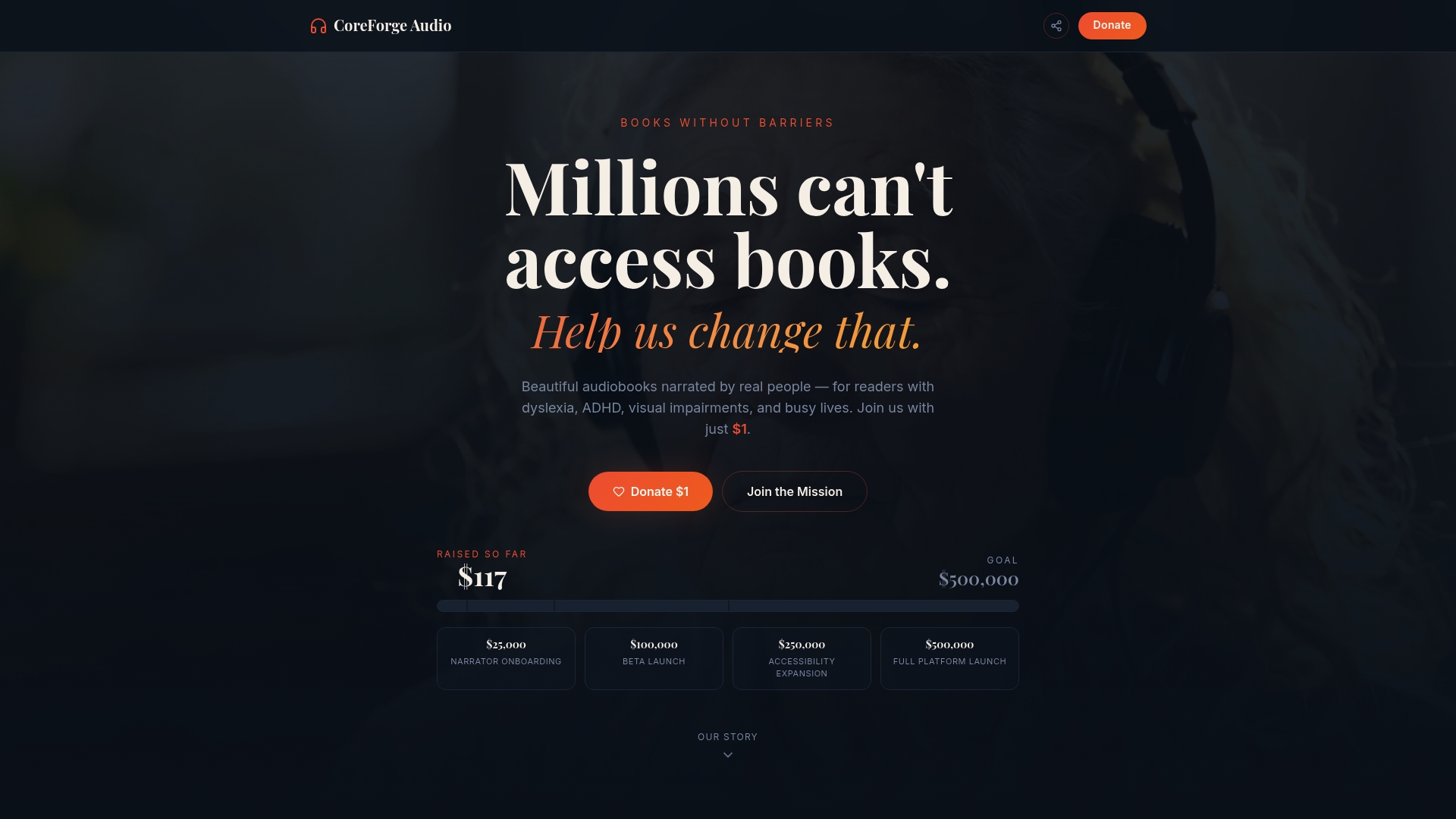
Coreforgeaudio pairs human-narrated audiobooks with platform features like dyslexia-friendly fonts, adjustable narration speeds, and multilingual support. These are not add-ons. They are built into the foundation of how the platform works. If you want to understand what truly accessible audio content looks like in practice, Coreforgeaudio is worth exploring. The platform is currently fundraising to bring its full catalog to life, and every contribution directly supports fair pay for voice actors and the development of accessibility tools that serve real people.
FAQ
What is a screen reader and how does it work?
A screen reader is software that converts on-screen text, images, and controls into synthesized speech or braille output. It reads from the browser's accessibility tree, not raw HTML, so the quality of the experience depends on how well the underlying content is structured.
Who uses screen readers besides people who are blind?
Screen readers also serve people with dyslexia, cognitive disabilities, traumatic brain injuries, and age-related vision decline. They provide multi-modal access that reduces visual overload and supports comprehension for a wide range of reading barriers.
Why do screen readers sometimes fail on modern websites?
Screen readers fail when developers use non-semantic HTML, skip ARIA labels, or build custom components that do not expose roles and states to the accessibility tree. Dynamic content that updates without ARIA live regions is also silent to screen reader users.
Is screen reader accessibility required by law in the United States?
The U.S. Department of Justice states that inaccessible web content constitutes a barrier equivalent to a physical obstacle under the ADA. Requirements include descriptive alt text, labeled form fields, keyboard navigation, and programmatic error identification.
How do you test a website for screen reader compatibility?
Manual testing with tools like NVDA on Windows or VoiceOver on macOS and iOS is the most reliable method. Automated checkers detect only 25–40% of real accessibility issues, so human evaluation with diverse screen reader environments is required for thorough auditing.