

Blind community digital accessibility standards define the technical and legal guidelines that make digital content perceivable, operable, understandable, and robust for blind users. The Web Content Accessibility Guidelines (WCAG), the Americans with Disabilities Act (ADA), and the proposed Websites and Software Applications Accessibility Act (S.3974) form the core framework developers must understand. Despite these standards, 96.3% of top websites contain at least one detectable accessibility error, averaging 56.1 errors per page. That number shows the gap between what the standards require and what developers actually ship. Closing that gap requires more than reading a compliance checklist. It demands mastery of semantic HTML, ARIA, keyboard navigation, and real-user testing.
1. What are blind community digital accessibility standards?
Blind community digital accessibility standards are the rules, guidelines, and legal requirements that govern how digital content must be built so blind users can access it fully. WCAG, published by the World Wide Web Consortium (W3C), is the de facto technical standard referenced by courts, regulators, and procurement policies worldwide. The ADA extends civil rights protections to digital spaces, and federal courts have consistently ruled that inaccessible websites violate its requirements. The Websites and Software Applications Accessibility Act, introduced as S.3974, would create uniform, federally enforceable requirements where current law leaves gaps. Together, these frameworks define what accessible digital content guidelines look like in practice.

2. What are the essential semantic HTML practices for blind users?
Semantic HTML is the foundation of web accessibility for visually impaired users. Screen readers rely on HTML structure to build a navigation map. Without it, blind users must read every page from top to bottom, word by word.
Key practices include:
- Heading hierarchy (H1 through H6): A logical heading structure lets screen reader users jump between sections instantly. Proper heading structure combined with consistent landmarks creates an efficient navigation map. Skipping heading levels or using headings for visual styling breaks that map entirely.
- Landmark elements: Tags like
<main>,<nav>,<article>, and<footer>give screen readers named regions to jump between. A page without landmarks forces linear reading. - Descriptive link text: Every link must describe its destination. "Download the 2026 accessibility report" works. "Click here" tells a screen reader user nothing.
- Alt text for images: Alt text should describe what the image communicates, not just what it shows. A chart showing revenue growth needs alt text that states the trend, not just "bar chart."
Pro Tip: Test your link text by reading it out of context. Screen reader users often pull up a list of all links on a page. If your link text makes no sense alone, rewrite it.
3. How do ARIA landmarks and attributes enhance dynamic content accessibility?
ARIA (Accessible Rich Internet Applications) fills the gaps that standard HTML cannot cover, especially in dynamic interfaces. When a page updates content without a full reload, screen readers need explicit signals to announce those changes.
Core ARIA applications include:
- Landmark roles:
role="banner",role="navigation",role="main", androle="complementary"mirror semantic HTML landmarks for legacy or complex interfaces. - Live regions:
aria-live="polite"announces dynamic updates, like form validation messages or chat notifications, without interrupting the user's current task. - State and property attributes:
aria-expanded,aria-checked, andaria-disabledcommunicate widget states that CSS alone cannot convey.
Proper ARIA implementation reduces screen reader verbosity by 40–60%, improving navigation efficiency. That improvement translates directly to faster task completion and less frustration. Misusing ARIA, however, causes real harm. Omitting live regions or misapplying roles can cause up to a 55% drop in task completion rates for blind users.
Pro Tip: Use ARIA to supplement semantic HTML, not replace it. If a native HTML element exists for the job, use it. ARIA is a patch, not a foundation.
4. Why is full keyboard navigation critical for blind users?
Keyboard accessibility is both a legal requirement and a practical necessity for blind users. Screen readers operate through keyboard commands, so any interactive element that only responds to mouse input is completely inaccessible.
Best practices for keyboard navigation include:
- All interactive elements must be keyboard operable: Buttons, links, form fields, modals, and custom widgets must all receive focus and respond to keyboard input.
- Visible focus indicators: A clear visual outline, such as a 2px solid border in a high-contrast color, shows sighted keyboard users and low-vision users where focus sits. Removing the default browser outline without replacing it is a WCAG failure.
- Focus management in modals: When a modal opens, focus must move into it. When it closes, focus must return to the element that triggered it. Using
aria-modal="true"combined with a focus trap prevents users from accidentally navigating behind the modal.
Trapping focus in modals using aria-modal="true" prevents 80% of common keyboard escape failures. That statistic reflects how often blind users get lost in interfaces where focus management is ignored. Hover-based tooltips and dropdown menus that only activate on mouse hover are equally problematic. If the information is not reachable by keyboard, it does not exist for screen reader users.
5. What testing strategies go beyond technical compliance?
Technical compliance checks catch a fraction of real accessibility problems. Automated testing tools typically cover only 20–30% of accessibility barriers. The remaining issues only surface through manual testing and feedback from actual blind users.
A practical testing workflow looks like this:
- Run automated scans first. Tools like Axe, WAVE, or Lighthouse flag obvious errors such as missing alt text, empty form labels, and color contrast failures. Fix these before moving to manual testing.
- Test with screen readers manually. VoiceOver on macOS and NVDA on Windows are the most widely used screen readers. Navigate your interface using only keyboard commands and listen to what the screen reader announces.
- Test with actual blind users. Functional barriers that code checks miss, such as confusing reading order or unclear error messages, surface immediately when real users interact with the interface.
- Integrate testing into your development cycle. Accessibility checks belong in code review, not just pre-launch audits. Fixing issues early costs far less than retrofitting a shipped product.
Most software is developed by people who have never used a screen reader extensively, which causes major usability barriers for blind users. That insight from blind developers is not a criticism. It is a call to action. Spending 30 minutes using your own product with a screen reader rapidly identifies critical failures that no automated tool will catch.
Pro Tip: Schedule a monthly screen reader session on your own product. Use NVDA on Windows or VoiceOver on macOS. Navigate without touching the mouse. You will find problems within minutes.
6. How do current and pending regulations shape accessibility requirements?
The legal framework for digital accessibility is tightening, and developers who treat compliance as optional face growing risk.
Key regulatory points:
- ADA website requirements: Federal courts have ruled repeatedly that websites serving the public must be accessible under Title III of the ADA. The Department of Justice has issued guidance confirming this interpretation.
- Websites and Software Applications Accessibility Act (S.3974): The American Council of the Blind strongly supports this legislation, which would create clear, enforceable digital accessibility standards. It aims to end the inconsistency that currently forces blind users to litigate access case by case.
- WCAG as the legal reference point: Courts and regulators consistently point to WCAG 2.1 Level AA as the minimum standard. WCAG 3.0 is in development and will introduce a more flexible scoring model.
"Inconsistent accessibility standards hinder civic and economic participation. Uniform, federally enforceable standards are needed to ensure full digital participation by blind and low vision people." — American Council of the Blind
Accessibility is not one-size-fits-all. The best platforms allow users to define their own needs rather than forcing a single configuration. Customizable contrast settings, narration speeds, and font options serve the wide spectrum of vision loss far better than a single default mode. Platforms like Coreforgeaudio build this principle directly into their design, offering adjustable narration speeds and dyslexia-friendly fonts as core features, not afterthoughts.
Key takeaways
Effective web accessibility for visually impaired users requires semantic HTML, ARIA, keyboard navigation, hybrid testing, and regulatory awareness working together as a system, not as isolated checkboxes.
| Point | Details |
|---|---|
| Semantic HTML is the foundation | Proper heading hierarchy and landmark elements create the navigation map screen readers depend on. |
| ARIA supplements, never replaces | Use ARIA live regions and roles only where native HTML falls short to avoid verbosity and confusion. |
| Keyboard access is non-negotiable | Every interactive element must be keyboard operable, with visible focus indicators and managed modal focus. |
| Hybrid testing catches real barriers | Automated tools find only 20–30% of issues; manual screen reader testing and blind user feedback are required. |
| Regulation is tightening | WCAG 2.1 Level AA is the current legal benchmark, and S.3974 would create uniform federal enforcement. |
Why accessibility standards demand empathy, not just expertise
The part of this field that most developers miss is not technical. It is empathy. I have watched teams spend weeks debating ARIA attribute syntax while shipping interfaces where the modal focus trap was completely broken. The technical knowledge existed. The habit of actually using the product as a blind user did not.
The developers who build the most accessible products are the ones who spend time with screen readers before they have a problem to fix. They learn how VoiceOver reads a page before they write a single line of code. That experience changes how they think about heading structure, link text, and error messages in ways that no style guide can replicate.
My honest view on where the field is heading: WCAG 3.0 will shift the conversation from pass/fail compliance toward a scoring model that rewards genuine usability. That is a good change. It will push teams to think about how well their product works for blind users, not just whether it technically passes an audit. The teams that invest in visually impaired user research now will be ahead of that curve when the new standard lands.
Accessibility is not a feature you add at the end. It is a discipline you build into every decision from the first wireframe. The developers who treat it that way build better products for everyone.
— Sarmed
Coreforgeaudio and the case for accessibility-first content
Coreforgeaudio was built on the premise that accessible content is not a compliance exercise. It is a design commitment.
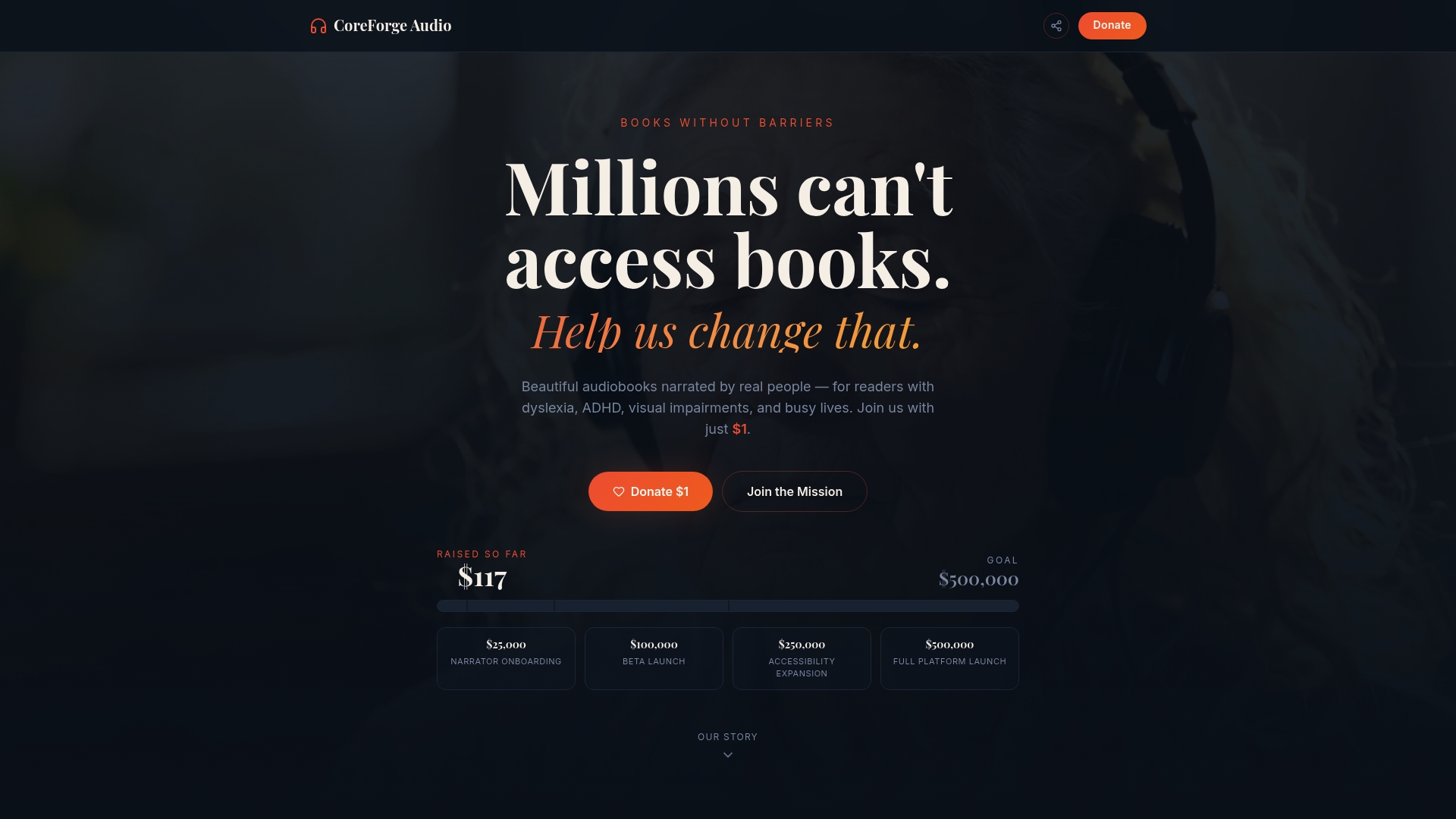
The platform integrates dyslexia-friendly fonts, adjustable narration speeds, and multilingual support as core features because blind and low-vision readers deserve more than a technically compliant experience. They deserve one that actually works for them. Coreforgeaudio's accessibility-first design approach offers practical lessons for any developer building for diverse audiences. If you want to understand what genuine inclusion looks like in a digital product, the Coreforgeaudio platform is a working example of these standards applied with purpose.
FAQ
What is WCAG and why does it matter for blind users?
WCAG (Web Content Accessibility Guidelines) is the international standard for digital accessibility, published by the W3C. Courts and regulators worldwide reference WCAG 2.1 Level AA as the minimum requirement for accessible websites.
How do screen readers use heading structure?
Screen readers build a navigation map from heading tags (H1 through H6), allowing blind users to jump between sections without reading every word. A broken or skipped heading hierarchy forces linear page reading, which is slow and disorienting.
What is the Websites and Software Applications Accessibility Act?
S.3974 is proposed federal legislation that would create uniform, enforceable digital accessibility standards in the United States. The American Council of the Blind supports it as a solution to the inconsistent enforcement that currently limits digital participation for blind users.
Why do automated accessibility tools miss so many issues?
Automated tools detect only 20–30% of accessibility barriers because they check code structure, not user experience. Issues like confusing reading order, unclear error messages, and broken focus management only surface through manual screen reader testing and feedback from blind users.
What is ARIA and when should developers use it?
ARIA (Accessible Rich Internet Applications) is a set of HTML attributes that communicate roles, states, and properties to screen readers for dynamic or complex interfaces. Developers should use ARIA only when native HTML elements cannot adequately describe the interface, since misapplied ARIA causes more confusion than it resolves.