

Assistive technology for reading is defined as any specialized tool, software, or device that removes barriers between a reader and written text. Text-to-speech (TTS) software, optical character recognition (OCR), electronic magnifiers, and browser extensions all fall under this category, which accessibility professionals call "assistive reading technology" or "reading support technology." These tools serve a wide range of users: students with dyslexia, adults with ADHD, people with low vision, and anyone whose schedule makes sitting down with a book nearly impossible. Understanding how assistive technology enables reading means understanding that access to text is not one-size-fits-all. The right tool changes everything.
What are the main types of assistive technology for reading?
Assistive reading technology divides into four clear categories, each targeting a different barrier to text access.
Text-to-Speech (TTS) Software converts written text into spoken audio. Tools like CastReader read aloud any selected text on a webpage, document, or e-book. The best TTS tools pair audio with synchronized word highlighting, which underlines or colors each word as it is spoken. This dual-channel approach keeps your eyes and ears working together rather than competing.

Optical Character Recognition (OCR) captures printed text through a camera and converts it into digital, readable, or speakable text. OCR is the engine inside handheld magnifiers and scanning pens. It turns a physical book, a restaurant menu, or a prescription label into something a screen reader or TTS tool can process in seconds.
Electronic Magnifiers enlarge text on a screen for people with low vision. Devices like LookyTAB and LyriQ AI combine high-resolution cameras with adjustable zoom, color contrast settings, and built-in OCR. They work on physical documents without requiring an internet connection.
Browser Extensions and Mobile Apps bring reading support directly into your daily digital life. Extensions like CastReader install in Firefox or Chrome and activate with a single click. Mobile apps handle PDFs, e-books, and web articles with similar ease.
Here is a quick comparison of the main assistive reading technology types:
| Tool Type | Best For | Key Feature | Example |
|---|---|---|---|
| TTS Software | Dyslexia, ADHD, multitasking | Synchronized word highlighting | CastReader |
| OCR Devices | Low vision, printed text | Camera-to-speech conversion | LyriQ AI, LookyTAB |
| Electronic Magnifiers | Low vision, macular degeneration | Zoom and color contrast | LookyTAB 10 Basic |
| Browser Extensions | Busy readers, casual use | Free, fast, multilingual | CastReader Firefox Add-on |
How does assistive tech improve reading comprehension?
The research on TTS and reading comprehension is specific and measurable. A 2026 meta-analysis found that TTS produces a moderate effect size of 0.35 on reading comprehension for students with dyslexia. That number means TTS moves the average dyslexic reader above roughly 64% of peers who read without support. The gain is not trivial.
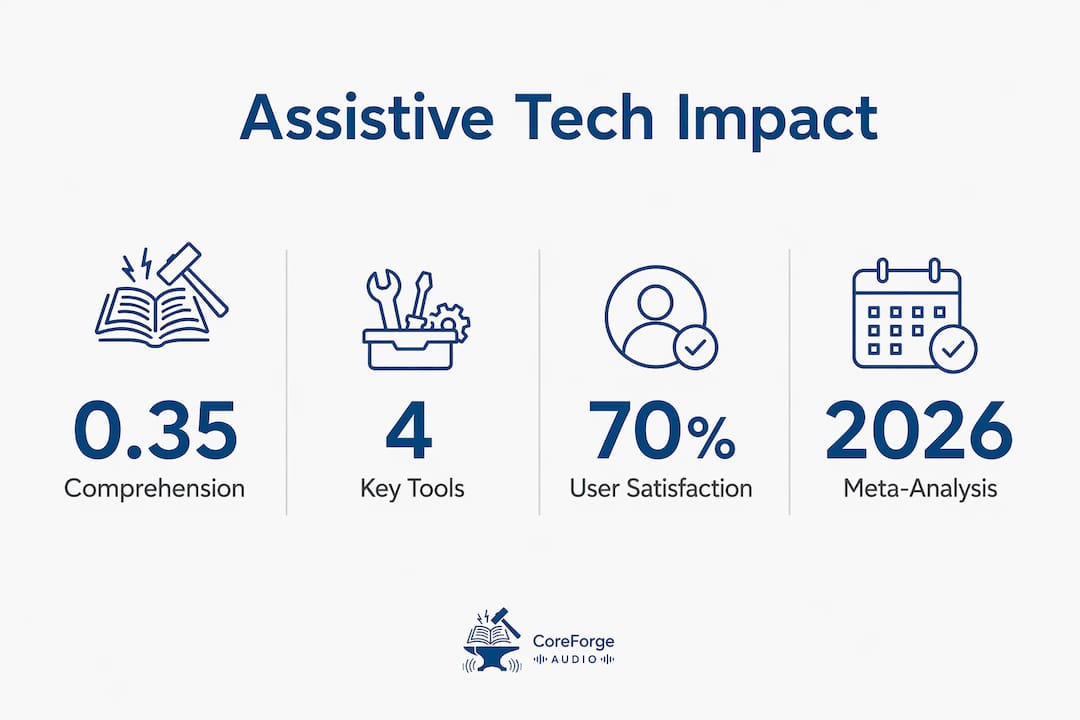
The mechanism matters. Dyslexia creates difficulty at the decoding stage, where the brain converts letter combinations into sounds. TTS bypasses that bottleneck entirely. It shifts decoding to the auditory channel, freeing the visual system to focus on meaning rather than sounding out words. The result is faster, less exhausting reading.
ADHD presents a different challenge. Sustained attention, not decoding, is the primary obstacle. TTS supports ADHD readers by providing a steady auditory signal that anchors attention to the current word. Eye-tracking studies from 2026 confirm that ADHD readers lose their place far less often when audio guides them through a passage.
Synchronized word highlighting adds another layer. WCAG 2.2 guidelines recognize synchronized highlighting as a core accessibility requirement because it anchors visual and auditory input simultaneously. When the highlighted word matches the spoken word in real time, cognitive load drops and comprehension rises.
One important nuance: TTS does not improve comprehension for every reader. Neurotypical readers sometimes find audio distracting when reading complex material. The benefit is strongest when the tool matches the reader's specific profile, whether that profile involves decoding difficulty, attention challenges, or visual fatigue.
Pro Tip: Start with the slowest comfortable playback speed and increase gradually. Most TTS tools, including CastReader, allow speed adjustment from 0.5x to 3x. Finding your optimal speed takes less than a week of daily use and significantly improves retention.
"TTS is not a replacement for reading. It is an enabler that shifts decoding to auditory input, freeing the visual channel to focus on meaning." — CastReader Research Blog
You can explore the science behind audio literacy in more depth if you want the full picture on how listening and reading reinforce each other.
What devices help people with visual impairments read?
Hardware solutions fill the gap that software alone cannot close. Physical documents, product labels, and printed books require a device with a camera, not just an app.
LyriQ AI Assistive Text-to-Speech Reader is a portable, offline device that scans printed text and reads it aloud with a natural voice. It requires no internet connection and operates with a single button press. For someone with low vision who needs to read mail, medication instructions, or a paperback novel, LyriQ AI delivers independence without requiring a smartphone or laptop.
LookyTAB 10 Basic is an electronic magnifier that displays sharp text at 5 cm distance and switches instantly between magnification mode and OCR-driven speech mode. The device handles menus, books, and handwritten notes with equal ease. Its color contrast settings are adjustable, which matters for readers with conditions like macular degeneration or glaucoma.
Both devices share three practical advantages:
- Portability. They fit in a bag and work anywhere, from a doctor's waiting room to a grocery store aisle.
- Offline capability. No Wi-Fi dependency means consistent performance in any environment.
- Speed. Text capture and voice output happen within seconds, not minutes.
Pro Tip: Match your device to your primary reading environment. If you read mostly at a desk, a larger magnifier with a stand gives better ergonomics. If you read on the go, a handheld device like LyriQ AI or LookyTAB is the practical choice.
For educators building reading support programs, the guide on audiobooks in special education covers how these devices integrate into classroom settings.
Can assistive technology help busy readers too?
Assistive reading technology is not exclusively for people with diagnosed disabilities. Busy professionals, commuters, and anyone juggling multiple responsibilities use TTS tools to consume documents, articles, and reports without sitting at a desk.
CastReader is a browser extension that provides free TTS with synchronized word highlighting, dyslexia-friendly fonts, and support for over 40 languages. It installs in Firefox in under a minute and requires no account or subscription. Playback speed runs from 0.5x to 3x, which means you can listen to a 10-minute article in under four minutes at 2.5x speed.
The productivity applications are direct:
- Commuting. Listen to work documents or long-form articles during a train or bus ride.
- Proofreading. Hearing your own writing read aloud catches errors your eyes skip over.
- Multitasking. Process reports or emails while doing low-focus physical tasks.
- Language learning. Multilingual TTS helps non-native readers follow along with text in their target language.
One feature that separates good TTS tools from mediocre ones is clean page extraction. Most webpages contain only about 40% relevant text, with the rest being ads, navigation menus, and sidebars. A TTS tool that reads everything aloud creates noise, not clarity. CastReader's content filtering strips irrelevant elements before reading begins, which reduces distraction and keeps you focused on the actual content.
Here is a comparison of features relevant to busy readers:
| Feature | Why It Matters | CastReader Support |
|---|---|---|
| Playback speed control | Saves time on long documents | 0.5x to 3x |
| Dyslexia-friendly fonts | Reduces visual fatigue | Yes |
| Clean page extraction | Removes ads and navigation noise | Yes |
| Multilingual support | Useful for global professionals | 40+ languages |
| Cost | Accessibility for all budgets | Free |
If you manage ADHD alongside a busy schedule, the article on audiobooks for ADHD explains why audio-first reading strategies work particularly well for attention management.
Key takeaways
Assistive reading technology works best when matched precisely to the reader's specific barrier, whether that barrier is decoding difficulty, attention, vision, or time.
| Point | Details |
|---|---|
| TTS improves comprehension | A 2026 meta-analysis found a 0.35 effect size for dyslexic readers using TTS tools. |
| Synchronized highlighting reduces load | WCAG 2.2 recognizes word-level highlighting as a core accessibility requirement. |
| Hardware fills the print gap | Devices like LyriQ AI and LookyTAB handle physical documents software cannot reach. |
| Busy readers benefit too | CastReader's clean extraction and speed control make TTS practical for productivity. |
| Customization drives outcomes | Adjusting speed, font, and voice to your profile produces measurably better results. |
Why matching the tool to the reader matters more than the tool itself
I have spent years watching people grab the most popular TTS app, use it for a week, and abandon it because it did not feel right. The tool was not the problem. The mismatch was.
Dyslexia and ADHD are not the same condition, and the research confirms they respond differently to assistive technology. TTS reduces decoding effort for dyslexic readers. For ADHD readers, it sustains attention. Using a tool designed for one without understanding the other produces frustration, not progress. The distinct effects for ADHD and dyslexia are well documented, and ignoring that distinction is the most common mistake I see.
The second mistake is ignoring customization entirely. Most people install a TTS extension, leave it on default settings, and wonder why it feels awkward. Spending 15 minutes adjusting voice, speed, and font can transform the experience. Clean page extraction is another setting most users never touch, yet it is arguably the most important feature for reducing cognitive overload.
My honest recommendation: try at least two tools before settling. CastReader works well for browser-based reading. LyriQ AI is the right call for physical documents and offline use. Neither is universally superior. Your reading environment, your specific challenge, and your daily routine determine which one earns a permanent place in your workflow.
— Sarmed
Start listening with Coreforgeaudio
Coreforgeaudio is built for exactly the readers this article describes. The platform provides human-narrated audiobooks with dyslexia-friendly fonts, adjustable narration speeds, and multilingual support, all designed to meet readers where they are. Whether you have dyslexia, low vision, ADHD, or simply not enough hours in the day, Coreforgeaudio's accessible library removes the friction between you and a great book. The platform is actively fundraising to expand its catalog and keep access free for those who need it most. Explore what is available now and support a model that puts readers first.
FAQ
What is assistive technology for reading?
Assistive technology for reading includes tools like text-to-speech software, OCR devices, electronic magnifiers, and browser extensions that help people access and understand written text. These tools serve readers with dyslexia, ADHD, low vision, and situational reading challenges.
Does text-to-speech actually improve reading comprehension?
Yes, for readers with dyslexia, TTS produces a moderate effect size of 0.35 on comprehension, according to a 2026 meta-analysis. For ADHD readers, TTS improves sustained attention and reduces the frequency of losing one's place in text.
What is the best free assistive reading tool for everyday use?
CastReader is a free browser extension available for Firefox that provides TTS with synchronized word highlighting, dyslexia-friendly fonts, and support for over 40 languages. It requires no account and works on any webpage or document.
How do handheld magnifiers differ from TTS software?
Handheld magnifiers like LookyTAB and LyriQ AI use physical cameras to capture and enlarge or read printed text, making them essential for physical documents, books, and labels. TTS software operates on digital text only and requires a screen or file input.
Can assistive reading tools help people without disabilities?
Assistive reading technology benefits anyone who needs to consume text efficiently. Busy professionals use TTS to listen to documents while commuting, and writers use it to proofread by ear, catching errors that visual reading misses.