
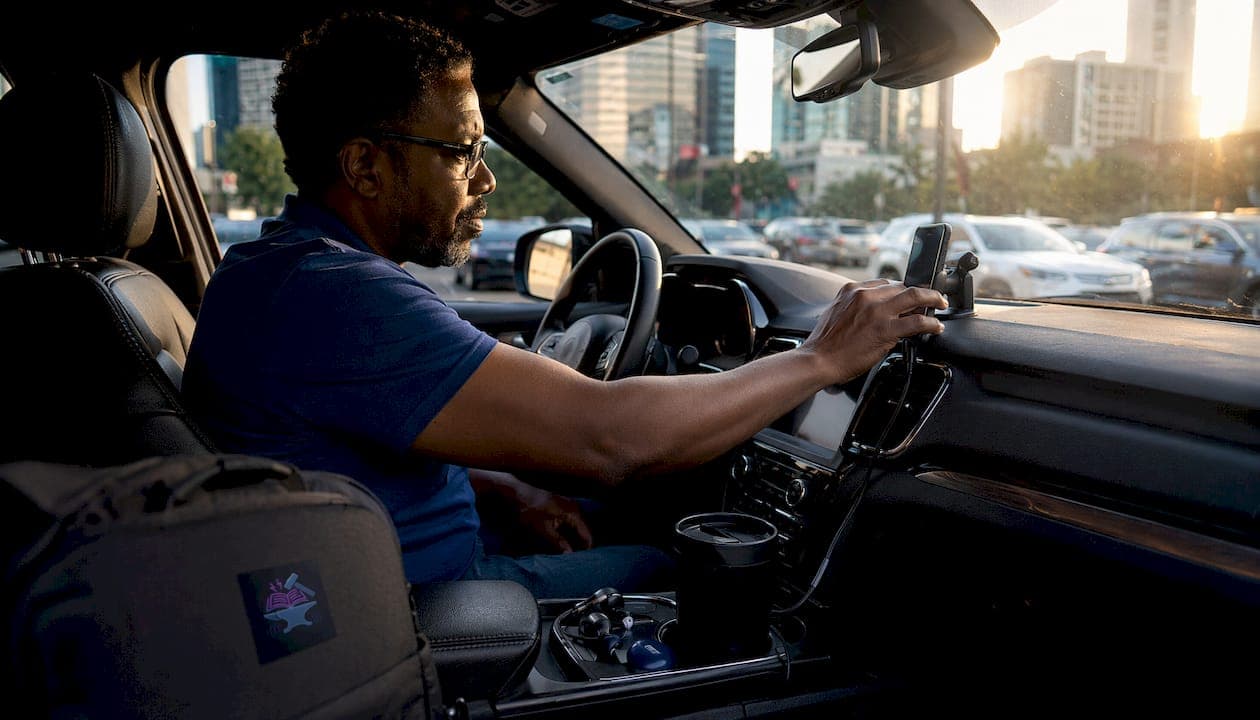
Hands-free content consumption means accessing digital media, including podcasts, audiobooks, articles, and emails, through voice commands, AI text-to-speech, or wearable technology, without physically touching a screen. For drivers, this isn't just a productivity habit. It's a legal requirement in a growing number of U.S. states. Technologies like Bluetooth audio, Apple CarPlay, Android Auto, and voice assistants such as Siri and Google Assistant make this possible by converting written content into audio you control with your voice or steering-wheel buttons.
Here's why this matters right now:
- Legal compliance: States including Minnesota, South Carolina, and Colorado prohibit holding or manually operating a phone while driving.
- Safer multitasking: Listening to content through a speaker or open-ear headphones keeps your eyes on the road and hands on the wheel.
- Accessibility: For drivers with dyslexia, ADHD, or visual impairments, assistive technology for reading transforms written content into something they can actually use on the go.
- Technology options: Bluetooth headsets, in-vehicle infotainment systems, and text-to-speech browser extensions all qualify as hands-free tools under most state laws.
What do hands-free driving laws require across the United States?
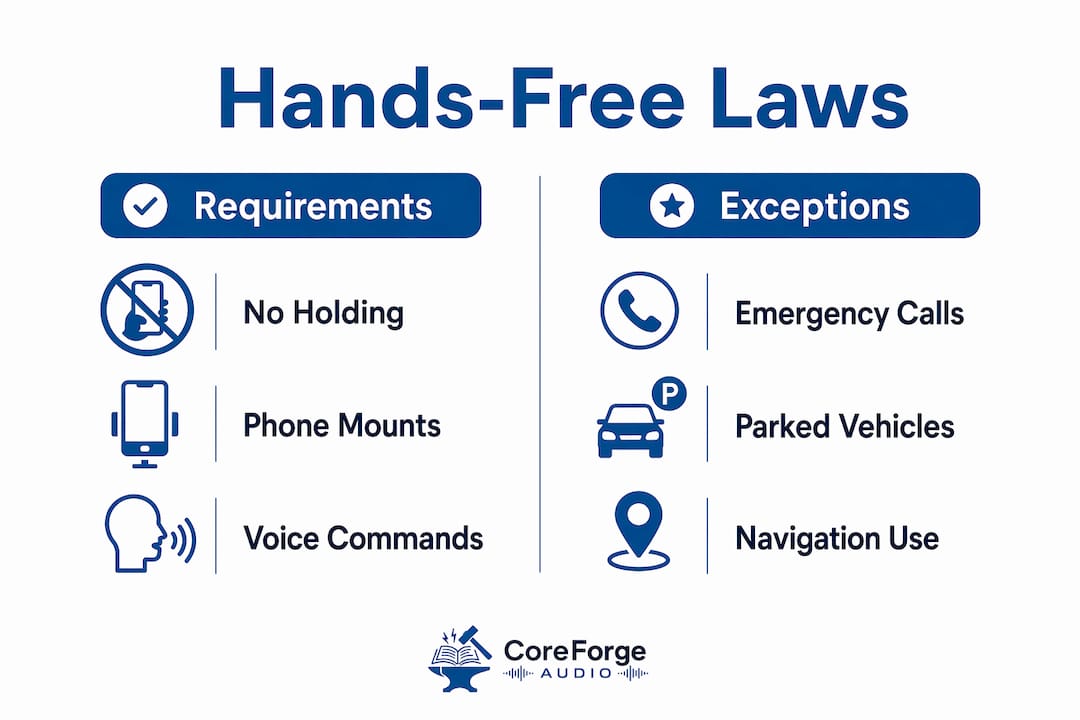
Hands-free driving laws share a common core: no holding your phone while the vehicle is in motion. But the specifics vary enough by state that you need to know your jurisdiction before assuming you're covered.
Minnesota's distracted driving law under Minnesota Statute 169.475 bans all handheld device use while driving, including holding a phone to make a call, text, or access any app. Drivers must use a single touch or voice command to interact with a device. The HandsFreeMN.org campaign was created specifically to educate drivers on this law and its enforcement.
South Carolina's Hands-Free and Distracted Driving Act prohibits holding or supporting a phone with any part of the body while driving. The law covers calls, texting, browsing, and video. Colorado's Hands-Free Law similarly bans all handheld use, with specific provisions for commercial drivers.
| State | Law summary | Penalties | Exceptions |
|---|---|---|---|
| Minnesota | No handheld device use; single touch or voice only | Fines and escalating penalties for repeat violations | Emergency calls, parked vehicles, hands-free systems |
| South Carolina | No holding phone with any body part while driving | Monetary fines and escalating penalties for repeat violations | Emergency calls, vehicle-integrated systems, parked vehicles |
| Colorado | No handheld use; voice or hands-free only | Fines and higher penalties for commercial drivers | Emergency calls, hands-free navigation, parked vehicles |
| Arizona | No handheld use while driving | Monetary fines for first offenses | Emergency calls, vehicle-integrated systems |
Pro Tip: Check your state's Department of Transportation or Department of Public Safety website before a road trip across state lines. Penalties and exceptions differ, and what's legal in one state may not be in the next.
What are the penalties for breaking hands-free laws?
Fines are the most common consequence, often accompanied by additional penalties such as points on your driving record, which can affect insurance rates. In the most serious cases, reckless device use that causes injury or death can result in felony charges.
Common consequences across states include:
- Monetary fines: Typically starting at $50–$150 for a first offense, rising sharply for subsequent violations.
- Points on your license: Accumulating points can trigger license suspension or mandatory driving courses.
- Increased insurance premiums: A distracted driving citation often follows you into your next renewal cycle.
- Felony charges: When handheld device use contributes to a crash with serious injury, prosecutors can pursue criminal charges under reckless driving statutes.
- Commercial driver disqualification: Federal regulations under 49 CFR 383.51 impose stricter standards for CDL holders, with violations potentially ending a commercial driving career.
Enforcement typically happens through direct observation by law enforcement. Officers can pull you over if they see you holding a device, even at a red light in states where the law applies to all driving situations.
Does hands-free technology actually make driving safer?
Partially, yes. But not completely. The National Transportation Safety Board has documented that hands-free use reduces physical distraction but does not eliminate cognitive distraction. Your brain still divides attention between the road and whatever you're processing through audio, and that split has real consequences.
The NHTSA reports that distracted driving claimed thousands of lives in recent years, with cognitive distraction contributing even when drivers weren't physically handling a device. Voice-activated systems require mental engagement to process commands and responses, which pulls focus away from driving even when your hands stay on the wheel.
Research on cognitive load and driving shows that natural, responsive AI voice interactions reduce effort compared to clunky interfaces, but the mental workload never drops to zero. Passive listening to a podcast or audiobook is meaningfully different from issuing voice commands or navigating menus by voice.
Pro Tip: Stick to passive audio during high-traffic or complex driving situations. Save voice-command interactions for highway stretches where the cognitive demand of driving is lower.
What exceptions do hands-free laws typically allow?
Most hands-free laws carve out specific situations where manual device interaction is permitted. The Colorado Department of Transportation and similar agencies in other states list these exceptions clearly, though the details vary by jurisdiction.
Common permitted uses include:
- Emergency calls: Calling 911 or emergency services is allowed under virtually every hands-free law, even without a hands-free device.
- Vehicle-integrated systems: Using a built-in infotainment system, GPS, or dashboard controls is generally permitted.
- Parked or stopped vehicles: Many states allow manual phone use when the vehicle is legally parked, not just stopped at a light.
- Law enforcement and first responders: Emergency personnel are typically exempt while performing official duties.
- Single-touch or voice activation: Most laws allow one tap to initiate a call or start audio playback, as long as you don't hold the device.
Always verify the exact exceptions in your state. Arizona's hands-free law differs from Minnesota's in specific edge cases, and assuming one state's exceptions apply everywhere is a common mistake.
How do you set up hands-free content consumption for driving?
The setup is simpler than most drivers expect. The core requirement is getting audio to play through your car's speakers or a headset without requiring you to touch your phone once you're moving.
Practical steps to get started:
- Connect via Bluetooth: Pair your phone to your car's audio system or a Bluetooth headset before you start driving.
- Use a text-to-speech app: Tools that convert screen text to audio let you queue up articles or documents and play them with a single tap or voice command.
- Build a playlist or queue in advance: Load your podcast app, audiobook, or reading queue before you put the car in drive. This eliminates mid-trip interaction entirely.
- Use lock-screen controls: Most audio apps surface playback controls on your lock screen, so you can skip or pause with a single tap without unlocking your phone.
- Choose open-ear audio when possible: Open-ear headphones let you hear emergency sirens and ambient traffic sounds while still delivering clear audio, unlike noise-canceling in-ear buds that can isolate you from your surroundings.
- Set playback speed before driving: Adjust speed based on content complexity. Dense material works better at normal speed; straightforward news or how-to content can be followed at a faster pace.
Pro Tip: Batch your content the night before a commute. Queue three or four articles or a full audiobook chapter so your entire drive is covered without a single interaction. Coreforgeaudio's accessible audio platform is built around exactly this kind of uninterrupted listening experience.
How does hands-free compare to manual device use while driving?
The difference between hands-free media consumption and manually operating a device while driving comes down to three things: physical risk, legal standing, and cognitive load.
Manual device use, meaning holding your phone to scroll, type, or watch video, creates all three problems simultaneously. Your eyes leave the road, your hands leave the wheel, and your brain shifts focus to the screen. At 60 mph, a five-second glance at your phone covers the length of a football field without your eyes on traffic.
Hands-free consumption removes the physical and visual components. You're not holding anything, and your eyes stay forward. That's why it's legal under state hands-free laws and why it's meaningfully safer than manual use. The cognitive piece is where the gap narrows. Passive listening to an accessible audio platform carries far less mental load than issuing voice commands or navigating a voice menu. Choosing the right type of hands-free content matters as much as choosing the right technology.
For drivers with reading barriers, the comparison is even starker. Manual reading while driving is both illegal and physically impossible to do safely. Hands-free audio, delivered through a platform built for accessibility, is the only practical option, and it's one that works within the law.
Key Takeaways
Hands-free content consumption is legally required in multiple U.S. states and reduces physical distraction, but cognitive load from audio interactions still demands careful content choices while driving.
| Point | Details |
|---|---|
| Legal requirement in key states | Minnesota, South Carolina, Colorado, and Arizona all ban handheld device use while driving. |
| Penalties escalate fast | Fines, license points, and potential felony charges apply for repeat or reckless violations. |
| Hands-free is not distraction-free | The NTSB confirms cognitive distraction persists even with voice-activated systems. |
| Setup before driving is critical | Queue content, connect Bluetooth, and set playback speed before the vehicle moves. |
| Open-ear audio improves safety | Open-ear headphones maintain ambient awareness that noise-canceling earbuds block out. |