

Classroom audio integration is defined as the use of instructional audio systems that distribute a teacher's voice evenly throughout a learning space using microphones, digital signal processors (DSPs), and strategically placed speakers. The industry term for this technology is a Classroom Audio Distribution System, or CAD. These systems do far more than amplify sound. They connect with school communication networks to support emergency alerts, hybrid learning platforms, and assistive listening devices. Research confirms that soundfield systems reduce cognitive load on students by improving speech intelligibility, even in noisy or large classrooms. That single benefit touches equity, engagement, and learning outcomes at once.
What is classroom audio integration and how does it work?
Classroom audio integration is the process of installing and connecting audio hardware and software so that every student hears the teacher clearly, regardless of where they sit. A CAD system has three core elements: a microphone worn by the teacher, a DSP that processes and balances the audio signal, and speakers mounted to deliver even coverage across the room.
The microphone is typically a pendant worn around the neck or a lapel clip. Both styles allow the teacher to move freely without losing audio quality. The DSP handles the heavy lifting behind the scenes. Proper gain staging and frequency balancing by DSPs produce an even, intelligible sound field. Without a well-configured DSP, feedback and uneven volume are constant problems.

Speaker placement is the third variable that determines system quality. Ceiling-mounted arrays or wall speakers positioned at consistent intervals prevent hot spots and dead zones. Modern systems also connect directly to interactive displays, video conferencing platforms, and campus paging networks, making the classroom audio system a node in a larger school technology infrastructure.
Pro Tip: When evaluating a new system, ask the vendor for a coverage map showing decibel levels at every seat in your room. A good system delivers consistent levels within a 3 dB variance across the entire space.
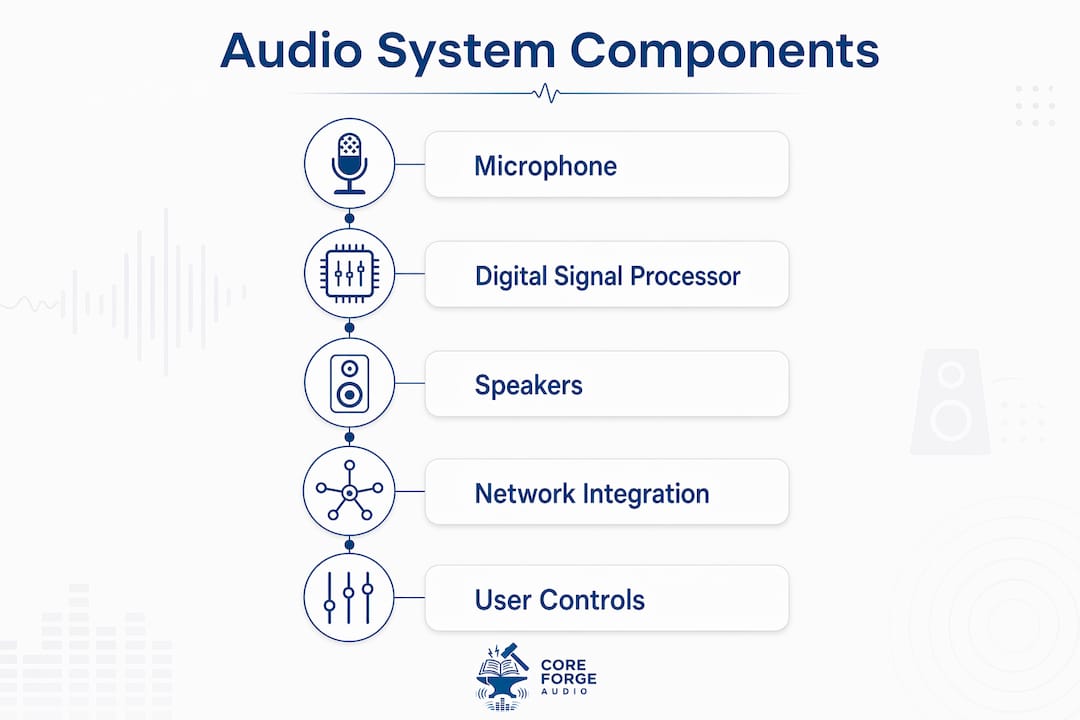
What are the key components of an integrated classroom audio system?
A complete classroom audio solution includes several hardware and software layers working together:
- Teacher microphone: Pendant or lapel styles with 8–10 hours of battery life support full school days without recharging interruptions.
- Digital Signal Processor: Manages feedback suppression, gain control, and frequency equalization to maintain speech clarity.
- Speaker array: Ceiling or wall-mounted units positioned for even room coverage, sized to match room dimensions and acoustic properties.
- Auracast-enabled transmitters: Auracast technology broadcasts audio directly to student hearing aids and cochlear implants, eliminating the need for separate FM assistive listening systems.
- Network audio interface: Connects the classroom system to school-wide IP audio networks for paging, emergency alerts, and remote management.
- Control interface: A teacher-facing panel or app that manages volume, input selection, and system status without requiring technical expertise.
Each component depends on the others. A high-quality microphone paired with a poorly configured DSP still produces bad audio. Administrators evaluating systems should assess the full signal chain, not just individual parts. Coreforgeaudio's resources on evaluating audio quality offer a practical framework for this assessment.
What are the primary benefits of audio integration in classrooms?
The benefits of audio integration fall into three categories: student outcomes, teacher health, and campus safety. Each is well-documented and measurable.
- Improved speech intelligibility. Students in the back row hear the teacher as clearly as those in the front. This matters most in rooms with hard floors, high ceilings, or HVAC noise.
- Educational equity. Students with hearing impairments, auditory processing differences, or English as a second language benefit most from consistent audio clarity. Audio integration supports equity by removing the acoustic disadvantage tied to seating position.
- Teacher vocal health. High-quality instructional audio eliminates the need for teachers to raise their voices or repeat instructions. The result is less daily fatigue and better long-term vocal wellness.
- Student engagement and focus. When students can hear without straining, they stay on task longer. Cognitive resources shift from decoding speech to processing content.
- Emergency communication. Integrated systems can automatically broadcast prerecorded emergency instructions to all classrooms simultaneously, reducing human reaction time during lockdowns or evacuations.
- Hybrid learning support. Direct integration with platforms like Zoom and Microsoft Teams removes audio latency for remote students, creating a more equitable experience for learners off-site.
"Speech intelligibility and vocal health benefits often outweigh simple volume increase. The design focus should be on clarity, not just amplification."
That insight reframes the entire conversation. Administrators who treat audio integration as a volume problem will buy the wrong systems. The goal is clarity at every seat, delivered without strain on the teacher.
How do classroom audio systems connect with school-wide technology?
Audio technology for education does not operate in isolation. Modern CAD systems integrate with multiple school platforms through IP-based audio networks.
| Integration type | Function | Key consideration |
|---|---|---|
| Emergency paging | Broadcasts lockdown or evacuation alerts through classroom speakers | Requires zero-latency, dedicated audio network |
| Video conferencing | Connects to Zoom or Microsoft Teams for hybrid classes | Eliminates audio quality gaps for remote students |
| Interactive displays | Syncs audio with on-screen content for multimedia lessons | Needs compatible AV control interface |
| Assistive listening | Streams via Auracast to hearing aids and cochlear implants | Replaces legacy FM systems with a single broadcast |
| Campus PA system | Unifies classroom and hallway audio under one control platform | Simplifies administration and reduces hardware redundancy |
Network infrastructure is the most common integration failure point. Enterprise-grade DECT or hardwired IP audio networks are the standard for zero-latency emergency messaging. Consumer-grade Wi-Fi networks introduce latency and synchronization problems that make emergency broadcasts unreliable.
Security is a second concern. Audio networks that carry emergency data need the same access controls and encryption standards as any other critical school system. Administrators should work with their IT departments to segment audio traffic on a dedicated VLAN and apply firmware update policies to all connected devices.
Classroom audio systems that interface directly with conferencing platforms remove the audio latency and quality issues that frustrate remote students. That integration is now a baseline expectation in hybrid learning environments, not a premium feature.
What best practices should administrators follow when planning audio integration?
Effective audio integration in teaching starts before the first speaker is mounted. Planning decisions made during building design or renovation determine system quality for the next decade.
- Plan during construction. Installing audio infrastructure during construction is 40–60% cheaper than retrofitting after the fact. Early installation also enables optimal speaker placement and clean cable routing.
- Avoid retrofitting without an acoustic assessment. Retrofitted systems frequently produce coverage gaps and acoustic dead zones because speaker placement is constrained by existing ceiling structures.
- Prioritize DSP configuration. A system is only as good as its DSP setup. Hire a certified audio engineer to configure gain staging, feedback suppression, and equalization for each room's specific dimensions and materials.
- Choose systems with auto-pairing. Auto-pairing microphones and set-and-forget systems increase teacher adoption by removing daily management burden. Systems that require manual troubleshooting tend to be abandoned within a semester.
- Train teachers before launch. A 30-minute orientation covering microphone use, volume adjustment, and basic troubleshooting dramatically increases daily adoption rates.
- Account for room acoustics. Carpet, acoustic ceiling tiles, and soft furnishings reduce reverberation. Hard surfaces amplify it. Speaker placement and DSP settings must match the room's acoustic profile.
Pro Tip: Pilot the system in one classroom for four weeks before a school-wide rollout. Collect teacher and student feedback, then adjust DSP settings and speaker placement before scaling.
Administrators can also reference Coreforgeaudio's guide on audio supplementation in curriculum to align technical deployment with instructional goals from the start.
Key Takeaways
Classroom audio integration works when it combines well-configured DSPs, even speaker coverage, and network connectivity that supports both instruction and emergency communication.
| Point | Details |
|---|---|
| Define the goal as clarity | Design for speech intelligibility at every seat, not just volume increase. |
| Plan during construction | Installing audio infrastructure during construction costs 40–60% less than retrofitting later. |
| Configure DSPs carefully | Proper gain staging and frequency balancing are the difference between clear audio and constant feedback. |
| Integrate with campus systems | Connect classroom audio to emergency paging and video conferencing for safety and hybrid learning. |
| Choose teacher-friendly systems | Auto-pairing microphones reduce management burden and prevent system abandonment. |
Why I think audio is the most undervalued classroom infrastructure decision
School administrators spend significant budget on interactive displays, learning management systems, and device programs. Audio almost always comes last. That ordering is backwards.
I've seen classrooms where a $50,000 display system sits in a room where students in the back row can't hear the teacher clearly. The display adds visual richness. The audio gap cancels out the instructional benefit. A student who can't hear the instruction clearly cannot engage with the content on the screen.
The vocal health argument is equally underappreciated. Teachers who strain their voices daily accumulate damage over years. That leads to sick days, reduced instructional effectiveness, and in serious cases, career-ending vocal injuries. A well-deployed CAD system eliminates that strain entirely. The return on investment shows up in attendance records and teacher retention, not just test scores.
The Auracast development is the trend I watch most closely. Broadcasting directly to hearing aids and cochlear implants without a separate FM system is a genuine shift in how schools serve students with hearing differences. It removes a visible accommodation and replaces it with an invisible one. That matters for student dignity as much as it matters for logistics.
My recommendation to any administrator planning a new building or major renovation: treat audio infrastructure the same way you treat electrical and data cabling. It is not optional equipment. It is foundational.
— Sarmed
Coreforgeaudio and accessible audio for every learner
Audio clarity in the classroom connects directly to a larger truth: when people can hear content clearly, they learn better. Coreforgeaudio is built on that same principle, extending it beyond the classroom to readers who face barriers like dyslexia, ADHD, and visual impairments.
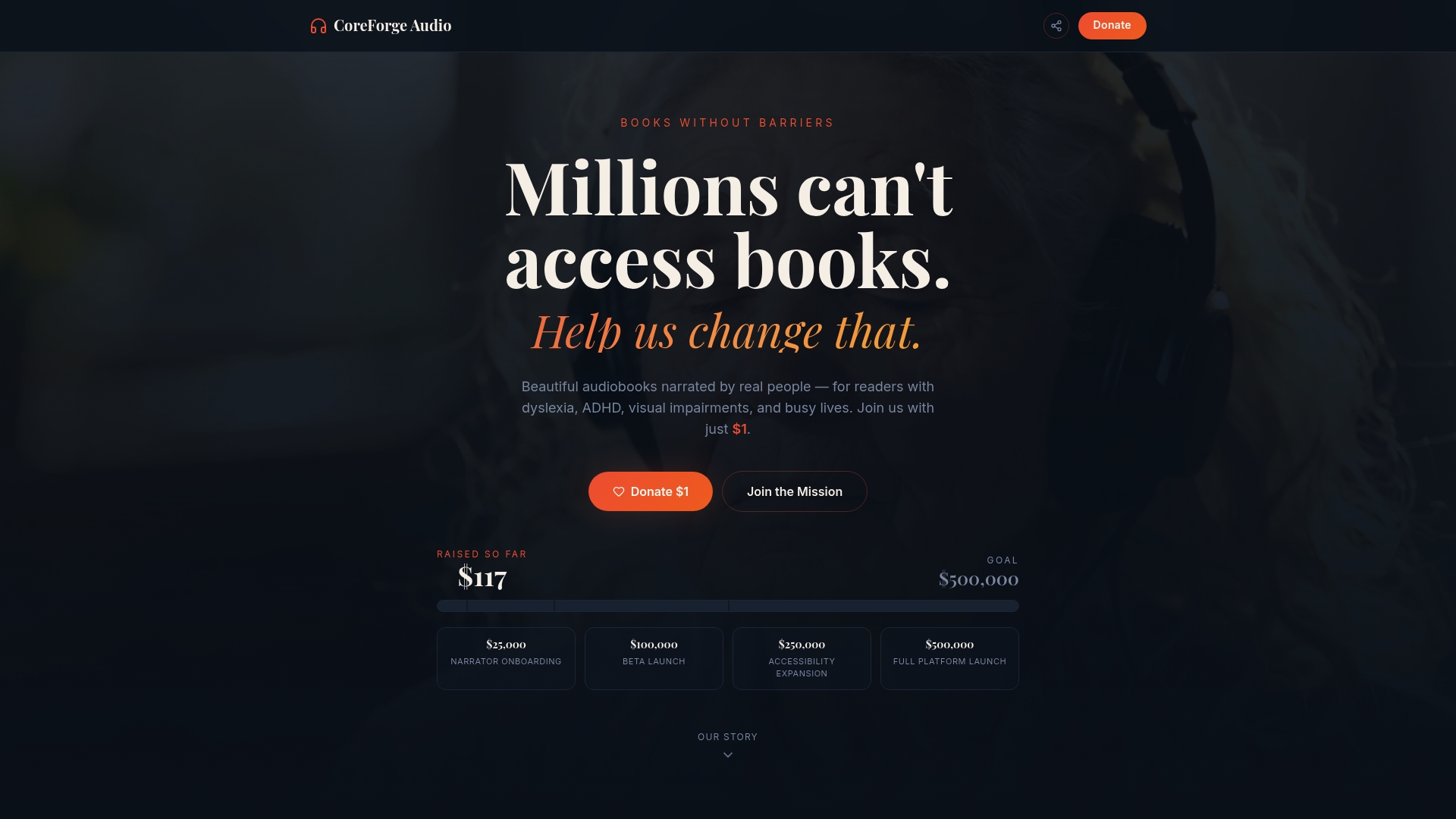
Coreforgeaudio delivers human-narrated audiobooks with dyslexia-friendly fonts, adjustable narration speeds, and multilingual support, making reading accessible for learners who need audio to engage with content. The platform is actively fundraising to expand its library and accessibility features. Educators looking to extend audio-based learning beyond the classroom wall can learn more at Coreforgeaudio and support a mission built around inclusion, fair compensation for voice actors, and ethical technology use.
FAQ
What is a Classroom Audio Distribution System?
A Classroom Audio Distribution System (CAD) is an instructional audio setup that uses a teacher-worn microphone, a digital signal processor, and room speakers to distribute the teacher's voice evenly to every student. It is the standard industry term for what is commonly called classroom audio integration.
How does audio integration support students with hearing impairments?
Auracast-enabled classroom audio systems broadcast directly to student hearing aids and cochlear implants, eliminating the need for separate FM assistive listening devices. This gives students with hearing differences the same audio quality as their peers without additional visible equipment.
What is the biggest mistake schools make when installing classroom audio?
Retrofitting audio systems after construction is the most common and costly mistake. Installing during construction costs 40–60% less and allows for optimal speaker placement, avoiding the coverage gaps and acoustic dead zones that retrofitted systems frequently produce.
How does classroom audio connect to school safety systems?
Integrated classroom audio systems can automatically broadcast prerecorded emergency instructions through every classroom speaker simultaneously, reducing human reaction time during lockdowns or evacuations. Enterprise-grade IP audio networks are required to deliver zero-latency emergency messaging reliably.
Why do some classroom audio systems get abandoned by teachers?
Systems that require daily manual setup or troubleshooting are abandoned within a semester. Auto-pairing microphones and systems designed for minimal daily management significantly increase long-term teacher adoption and consistent use.