

Audio navigation in apps is defined as the delivery of real-time auditory cues, directional prompts, and contextual guidance that allow users to move through physical or digital environments without relying on visual displays. For app developers and UX designers, understanding this technology goes beyond accessibility compliance. It shapes how users experience stress, cognitive load, and orientation in motion. Tools like the HERE SDK, platforms like Apple Maps, and research published in Scientific Reports all confirm that well-designed voice guidance in apps produces measurably better outcomes for users across age groups and mobility contexts.
What does research say about audio navigation's impact on users?
The evidence for audio navigation's effectiveness is specific and replicable. A 2025 Scientific Reports field study with adults aged 50 to 69 found that voice-only navigation performed comparably to paper maps in goal completion rates and time on task, while users reported significantly higher relaxation scores with auditory guidance. The System Usability Scale score of 60.5 signals room for improvement, but the relaxation benefit alone justifies prioritizing audio guidance in apps targeting older adults.
"Stepwise auditory prompts offload visuospatial processing and mental map transformations, reducing cognitive effort and enhancing user relaxation."
This cognitive offloading effect matters enormously for UX design. When an app delivers a well-timed voice prompt, the user's brain does not need to simultaneously hold a mental map, read a screen, and monitor the environment. That reduction in parallel processing is what produces the relaxation benefit the study measured.
The driving context adds another dimension. A 2026 driving-simulator study with 50 novice drivers found that auditory navigation instructions produced significantly fewer driving breaches compared to visual instructions, with no measurable difference in cognitive workload on the NASA-TLX scale. This is a critical finding. Designers often assume that adding audio adds cognitive burden. The data says the opposite: auditory guidance reduces errors without taxing the user's mental resources further.
The implication for developers is direct. If your app operates in any context where users are moving, whether on foot, cycling, or driving, audio navigation features reduce errors and reduce stress. That is not a soft accessibility benefit. It is a core performance advantage.
How does spatial audio improve directionality in navigation apps?
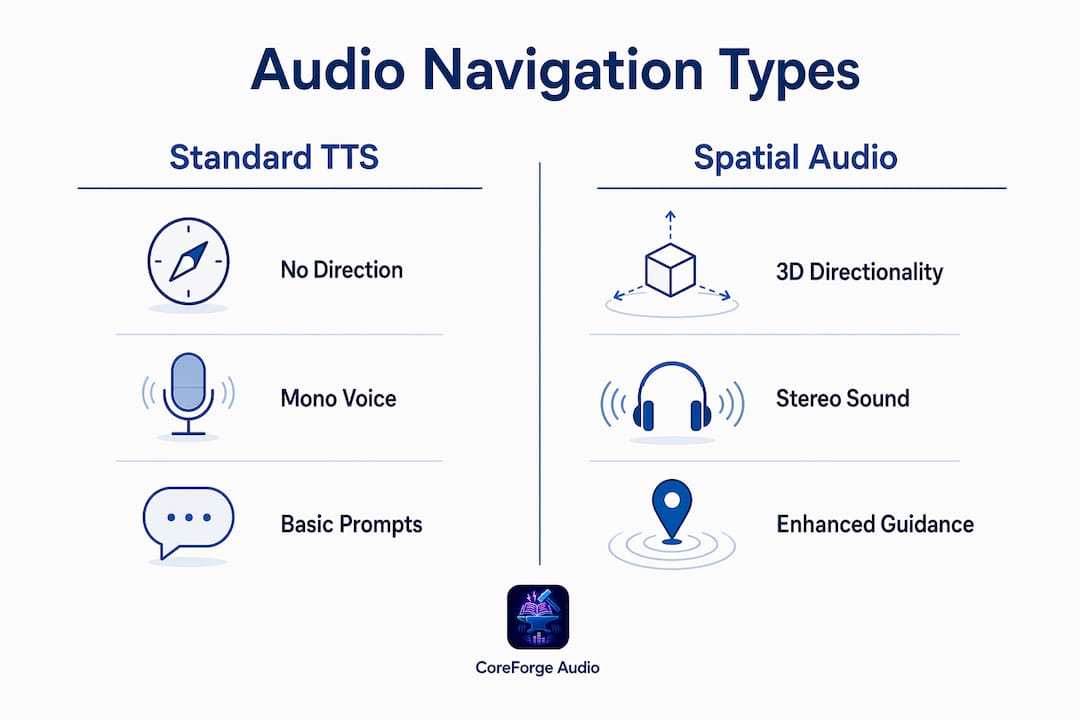
Standard text-to-speech navigation tells users what to do. Spatial audio tells users where to go by encoding direction into the sound itself. The HERE SDK for Android and iOS includes APIs that enable real-time stereo panning of voice guidance using azimuth and trajectory data, so a prompt to "turn right" actually arrives from the right side of the user's audio field.

This distinction matters more than most developers realize. Spatial audio shifts navigation from mere audibility to conveying continuous directional information, which is vital for users with visual impairments and for anyone navigating in a visually complex environment. A user wearing earbuds in a crowded train station does not need to look at their phone if the audio itself communicates direction.
Implementing this correctly requires explicit SDK configuration. The HERE SDK requires developers to call "enableSpatialAudioand supplySpatialTrajectoryData` containing real-time azimuth angles. Playing static TTS without panning eliminates the directional benefit entirely, reducing spatial audio to ordinary voice output. The technical steps are straightforward, but skipping them is a common implementation gap.
Here is the correct implementation sequence for spatial audio in the HERE SDK:
- Enable spatial audio via the
enableSpatialAudioAPI flag during navigation session initialization. - Supply real-time
SpatialTrajectoryDataincluding azimuth angle and user trajectory at each prompt trigger. - Configure stereo panning parameters so left and right channels reflect the actual direction of the upcoming maneuver.
- Test with users wearing headphones in real environments, not just in simulator conditions.
| Feature | Standard TTS | Spatial Audio TTS |
|---|---|---|
| Directional encoding | None | Real-time stereo panning |
| Azimuth data required | No | Yes |
| Benefit for visually impaired users | Moderate | High |
| SDK configuration complexity | Low | Medium |
Pro Tip: Always verify that your navigation session is supplying live azimuth data before enabling spatial audio. Static or delayed azimuth inputs produce misleading directional cues that are worse than no spatial audio at all.
Pedestrian vs. driver apps: how audio navigation design differs
The single most common audio navigation UX failure is applying driver-grade audio cues to pedestrian users. The HERE SDK iOS documentation explicitly warns against using maneuver notifications designed for drivers in pedestrian navigation contexts. This is not a minor caveat. Mobility mode is a first-class design constraint, and ignoring it produces prompts that are mistimed, overly urgent, or spatially irrelevant for someone walking.
Drivers need early, layered prompts because reaction time and stopping distance demand advance notice. A driver approaching a turn at 50 mph needs a prompt 300 meters out, a confirmation at 100 meters, and a final cue at the turn. A pedestrian approaching the same intersection at walking pace needs one clear prompt, delivered close to the decision point, without the urgency framing that driving contexts require.
Pedestrian preferences also differ in mode. A 2026 PLOS ONE study found that 44% of pedestrians preferred route preview audio over turn-by-turn guidance generally, with that figure rising to 76% in familiar environments. Route preview performs comparably to turn-by-turn on navigation accuracy metrics, meaning the preference is real without sacrificing performance. Designers building pedestrian apps should offer both modes and default to route preview in contexts where the app can detect user familiarity.
Key design differences between pedestrian and driver audio navigation:
- Prompt timing: Drivers need multi-stage advance warnings. Pedestrians need single, well-timed cues near decision points.
- Urgency framing: Driver prompts use imperative language with distance markers. Pedestrian prompts can be conversational and landmark-anchored.
- Spatial audio priority: Both benefit from stereo panning, but pedestrians in familiar areas may prefer minimal audio interruption overall.
- Mode switching: Apps that support both walking and driving must detect transport mode and switch audio profiles automatically, not manually.
For developers building accessibility-first app experiences, this context-sensitivity is the difference between an audio system that helps and one that frustrates.
Best practices for designing effective audio navigation prompts
Prompt engineering, not TTS voice quality, determines whether audio navigation actually works. The timing, wording, landmark anchoring, and intersection clarity of each prompt define the user's ability to act on the guidance. A 2025 study on voice-only navigation usability found that participant feedback consistently pointed to prompt design failures rather than audio quality as the primary source of confusion.
Clear distance phrasing is the foundation. "Turn right in 50 meters" outperforms "turn right soon" because it gives the user a concrete spatial anchor. Landmark-based cues add a second layer of confidence: "Turn right at the pharmacy" works better than a distance-only prompt in dense urban environments where visual landmarks are more salient than distance estimates.
Layered prompts serve drivers and reduce errors across all contexts. A pre-turn alert at distance, a confirmation prompt closer to the maneuver, and a post-turn acknowledgment create a three-stage guidance loop that reduces missed turns significantly. This structure also helps users who are distracted or processing audio in noisy conditions.
Noise robustness is an underrated challenge. Users in cars with road noise, pedestrians near construction, or cyclists in wind all experience degraded audio clarity. Strategies include higher default volume thresholds in detected noisy environments, slower speech rates for complex instructions, and redundant landmark cues that reinforce distance-based prompts.
Pro Tip: Run your audio prompts through a System Usability Scale evaluation with real users in real environments. Lab testing consistently overestimates audio clarity because it removes the ambient noise and divided attention that define actual use conditions.
Iterating on prompt design using SUS scores and qualitative user feedback produces compounding improvements. Each revision cycle that addresses specific phrasing failures or timing gaps moves the usability score toward the threshold where users stop noticing the navigation system and simply trust it.
Key takeaways
Audio navigation in apps works because it reduces cognitive load, improves navigation accuracy, and expands accessibility when developers treat prompt engineering and mobility mode as primary design constraints, not afterthoughts.
| Point | Details |
|---|---|
| Audio reduces cognitive load | Voice guidance offloads visuospatial processing, lowering mental effort and user stress. |
| Spatial audio requires explicit setup | HERE SDK spatial audio needs enableSpatialAudio and live azimuth data to deliver directional cues. |
| Mobility mode is a design constraint | Driver and pedestrian audio profiles must differ in timing, urgency, and prompt structure. |
| Pedestrians prefer route preview | 76% of pedestrians in familiar environments prefer route preview over turn-by-turn audio. |
| Prompt engineering drives usability | Timing, landmark anchoring, and distance phrasing matter more than TTS voice quality. |
Why audio navigation deserves more than an accessibility checkbox
Most development teams I have observed treat audio navigation as a feature added late in the build cycle, usually in response to an accessibility audit. That sequencing produces exactly the kind of underpowered, context-blind audio systems that frustrate users and score poorly on usability evaluations.
The research tells a different story. Audio navigation, when designed from the ground up with cognitive load, mobility mode, and prompt engineering as primary constraints, outperforms visual navigation in error rates and user satisfaction in high-demand contexts. The accessibility benefits for visually impaired users are real and significant, but they are not the ceiling. They are the floor.
The pitfall I see most often is the pedestrian-driver mismatch. A team builds excellent driver-grade audio prompts, then applies them unchanged to a walking mode. The result is prompts that arrive too early, use urgency framing that feels alarming at walking pace, and interrupt users who would prefer a route overview. Fixing this requires treating mobility mode as a first-class input to your audio system architecture, not a filter applied at the prompt level.
My practical advice: build your audio navigation system in layers. Start with prompt engineering, get the timing and wording right for each mobility mode, then layer in spatial audio using the HERE SDK's azimuth APIs, and finally run SUS evaluations in real environments. That sequence produces systems users trust rather than tolerate.
— Sarmed
How Coreforgeaudio approaches audio-first design

At Coreforgeaudio, the belief that audio is not a supplement to experience but the primary channel for millions of users shapes every design decision. The same principles that make audio navigation effective in maps apps, clear prompts, spatial awareness, and context-sensitivity, apply directly to accessible audiobook platforms. Coreforgeaudio is building a platform where human-narrated content, adjustable narration speeds, and multilingual support serve users with dyslexia, ADHD, visual impairments, and busy lives. If you are a developer or designer thinking about how audio can power genuine user independence, explore the Coreforgeaudio platform to see how accessibility-first audio design translates from navigation to storytelling.
FAQ
What is the role of audio navigation in apps?
Audio navigation in apps delivers real-time voice prompts and directional cues that guide users through environments without requiring visual attention. It reduces cognitive load, improves navigation accuracy, and expands access for users with visual impairments or hands-busy contexts.
Does audio navigation increase cognitive workload for drivers?
No. A 2026 simulator study with 50 novice drivers found that auditory navigation instructions reduced driving errors with no measurable increase in cognitive workload compared to visual instructions, as measured by the NASA-TLX scale.
How does spatial audio differ from standard voice navigation?
Standard voice navigation delivers directional instructions verbally. Spatial audio encodes direction into the sound itself through real-time stereo panning, so a right-turn prompt arrives from the right audio channel. The HERE SDK enables this via enableSpatialAudio and live azimuth data.
Should pedestrian apps use the same audio cues as driver apps?
No. The HERE SDK iOS documentation explicitly warns against applying driver-grade maneuver notifications to pedestrian navigation. Pedestrians need closer, calmer, landmark-anchored prompts rather than the multi-stage advance warnings that driving contexts require.
What audio navigation format do pedestrians prefer?
A 2026 PLOS ONE study found that 44% of pedestrians preferred route preview audio over turn-by-turn guidance overall, rising to 76% in familiar environments, with no significant difference in navigation performance between the two formats.